Accessibility Conformance Report, International Edition (based on VPAT® Version 2.5Rev INT)
Moodle LMS 5.3 (default install): Sample Accessibility Conformance Report
SAMPLE REPORT. Independent sample evaluation by Mark Malthouse, independent accessibility evaluator. Not produced for, reviewed by, or affiliated with Moodle.
This is a sample, made to show the format and method. It records what was observed on 15 October 2026 on a default Moodle LMS 5.3 install with sample course content, run locally by the evaluator.
Mark Malthouse is not IAAP-certified; each criterion lists exactly how it was tested.
This is a technical assessment, not legal advice and not a determination of legal conformance.
| Name of Product/Version | Moodle LMS 5.3 (release package moodle-5.3.zip, downloaded 14 October 2026), default settings, Boost theme, PHP 8.4.26, PostgreSQL 17.11, with a scripted sample course. |
|---|---|
| Report Date | 15 October 2026 (testing done on 15 October 2026) |
| Product Description | Moodle LMS is an open-source learning management system used by schools, colleges and universities. This sample covers the learner side of the product as a student and a logged-out visitor see it. |
| Contact Information | Vendor accessibility contact: not applicable to this sample (in a client report, the vendor's own accessibility contact). Evaluation party: Mark Malthouse, independent accessibility evaluator, mark@markmalthouse.com. |
| Notes |
Scope. 7 user flows, 13 page states, listed in the "Flows tested" section. Pages outside these flows, teacher and administrator screens, the mobile app, and Level AAA criteria were not evaluated. Test environment. Moodle LMS 5.3 installed from the official release package with default settings, the Boost theme, PHP 8.4.26 and PostgreSQL 17.11, served on the evaluator's computer. A script created one sample course whose content mirrors Moodle's public demo course: an audio message from the tutor, an online-text assignment, a quiz with multiple-choice and matching questions, a forum and a graded item. A test student account was used for all flows except login. Platform and content. Remarks say "Platform" for issues in Moodle LMS itself and "Sample content" for issues in the course material, which a real customer would write themselves. User tours. Moodle's first-visit user tours were marked as completed for the test student so they did not cover the pages under test. The tours themselves were not evaluated. |
| Evaluation Methods Used |
Automated checks: axe-core 4.13.0 (through @axe-core/playwright) run on every page state, all rule sets, results saved as JSON. Playwright 1.64.1 driving Chromium 156.0.8078.4 on Windows 11; Firefox 157.0 used to repeat the quiz keyboard test. WCAG 2.2 and timing checks: focus-not-obscured sampling at each Tab stop (2.4.11), target size measurement with the spacing exception (2.5.8), paste and autocomplete checks on login (3.3.8), and the session timeout warning tested with the timeout shortened to 5 minutes through Moodle's admin/cli/cfg.php (2.2.1). Windows contrast themes were emulated with forced colours. Keyboard-only walkthrough: every flow was completed with the keyboard (Tab, Shift+Tab, Enter, Space, arrow keys, Escape, Alt+F10). On each page state the Tab key was pressed through the whole page (251 unique Tab stops; repeats caused by the quiz defect are not counted), logging each focused element and comparing focused and unfocused screenshots pixel by pixel to check for a visible focus indicator. Zoom and reflow: each page state rendered 320 CSS px wide (400% zoom of a 1280 px wide window) and 640 CSS px wide (200%), and in portrait at 768 x 1024, checking for sideways scrolling and cut-off content, with screenshots. Colour contrast: axe-core text contrast checks; border contrast of form controls computed from styles; pixel sampling of screenshots where text sits over images. Screen-reader-relevant markup inspection: the Chromium accessibility tree (what screen readers read) saved for each page state, plus scripted checks of accessible names, roles, states, landmarks, headings, form labels and error links, live regions, label-in-name, and language attributes. Text spacing was tested by injecting the WCAG 1.4.12 values. Screen reader: NVDA 2026.2 with Chrome 156.0.8078.4 and Firefox 157.0, driven by Guidepup automation; spoken output logged and reviewed (login, quiz in focus and browse modes, forum form, forum Message editor and errors, session timeout warning). No testing by people with disabilities. Limits. Markup inspection shows what a screen reader is given, not how it announces it. Automated tools find only part of accessibility problems, which is why each criterion also lists the manual checks used. |
Applicable Standards/Guidelines
This report covers the degree of conformance for the following accessibility standard/guidelines:
| Standard/Guideline | Included In Report |
|---|---|
| Web Content Accessibility Guidelines 2.0 | Level A (Yes), Level AA (Yes), Level AAA (No) |
| Web Content Accessibility Guidelines 2.1 | Level A (Yes), Level AA (Yes), Level AAA (No) |
| Web Content Accessibility Guidelines 2.2 | Level A (Yes), Level AA (Yes), Level AAA (No) |
| Revised Section 508 standards published January 18, 2017 and corrected January 22, 2018 | Yes |
| EN 301 549 Accessibility requirements for ICT products and services, V3.1.1 (2019-11) and V3.2.1 (2021-03) | Yes |
EN 301 549 V4.1.1 (published September 2026, aligned with WCAG 2.2) is not yet cited in the Official Journal; the WCAG 2.2 rows above cover its new web criteria.
Terms
The terms used in the Conformance Level information are defined as follows:
- Supports: The functionality of the product has at least one method that meets the criterion without known defects or meets with equivalent facilitation.
- Partially Supports: Some functionality of the product does not meet the criterion.
- Does Not Support: The majority of product functionality does not meet the criterion.
- Not Applicable: The criterion is not relevant to the product.
- Not Evaluated: The product has not been evaluated against the criterion. This can only be used in WCAG Level AAA criteria.
Results summary (WCAG 2.2 A and AA)
| Conformance Level | Level A (32) | Level AA (24) |
|---|---|---|
| Supports | 24 | 18 |
| Partially Supports | 4 | 4 |
| Not Applicable | 4 | 2 |
The most serious finding: in a quiz attempt, keyboard users cannot Tab past a multiple-choice question they have not answered (criterion 2.1.1; Moodle tracker MDL-89285). The ranked fix list is in fix-list.html (and fix-list.pdf).
Flows tested
| Flow | Role | Pages and states | Evidence folder |
|---|---|---|---|
| F1 Log in | Logged-out visitor | Login page; failed login error state; keyboard-only login | evidence/F1-login/ |
| F2 Dashboard | Student | Dashboard with course overview and timeline | evidence/F2-dashboard/ |
| F3 Course page | Student | Course "Psychology in Cinema" with course index drawer and an audio message from the tutor | evidence/F3-course/ |
| F4 Assignment submission | Student | Assignment "Reflective journal": view page, Add submission (online text editor), save | evidence/F4-assignment/ |
| F5 Quiz attempt | Student | Quiz "Factual recall test" (5 multiple-choice questions and 1 matching question): view page, attempt, summary, submit confirmation, review | evidence/F5-quiz/ |
| F6 Forum post | Student | Forum "Course discussion": view page, Add discussion topic form, validation errors, posting | evidence/F6-forum/ |
| F7 Grades | Student | User report for the course and grades overview | evidence/F7-grades/ |
WCAG 2.x Report
Note: When reporting on conformance with the WCAG 2.x Success Criteria, they are scoped for full pages, complete processes, and accessibility-supported ways of using technology as documented in the WCAG 2.x Conformance Requirements.
Each WCAG row also applies to: EN 301 549 V3.2.1 clause 9.[criterion] (Web) and 11.8.2 (Authoring Tool); Revised Section 508 501 (Web) and 504.2 (Authoring Tool). For this web product, the Electronic Docs, Software and Closed contexts are Not Applicable. The Authoring Tool context (the TinyMCE editor in the assignment and forum flows) has the same level as the Web context, because the editor was tested as part of those pages. WCAG 2.2-only criteria do not apply to EN 301 549 V3.2.1 or Revised Section 508.
Table 1: Success Criteria, Level A
| Criteria | Conformance Level | Remarks and Explanations |
|---|---|---|
| 1.1.1 Non-text Content | Supports | Informative images have text alternatives and decorative images are hidden from assistive technology (activity icons and user initials sit next to visible names; Font Awesome icons use aria-hidden="true"). axe image and SVG rules passed on all 13 page states. The editor image dialog asks for alternative text (see Section 508 504.3). How tested: axe-core 4.13 automated scan; markup inspection (Chromium accessibility tree and DOM). |
| 1.2.1 Audio-only and Video-only (Prerecorded) | Supports | Platform: authors can add a transcript next to the media or as a linked file, and the media player works by keyboard. Sample content: the 33-second "Message from your tutor" in the sample course has no transcript; this is a content issue for the course author (see fix list item C1) and does not change the platform rating. How tested: markup inspection (Chromium accessibility tree and DOM); visual review of screenshots. Evidence: verify/V3-course-audio.png, verify/V3.json |
| 1.2.2 Captions (Prerecorded) | Not Applicable | No prerecorded video is in the evaluated flows. The course audio is audio-only and is rated under 1.2.1. How tested: markup inspection (Chromium accessibility tree and DOM). |
| 1.2.3 Audio Description or Media Alternative (Prerecorded) | Not Applicable | No prerecorded video is in the evaluated flows. How tested: markup inspection (Chromium accessibility tree and DOM). |
| 1.3.1 Info and Relationships | Supports | Headings mark page and block titles; landmarks (navigation, main, regions) are present; every form field has a programmatic label (0 unlabelled controls across 13 page states); quiz answers are radio groups inside a fieldset named "Question 1 Select one:"; grade tables use th with scope; form errors are tied to fields with aria-describedby. Advisory: some heading levels skip, and the activity description and dates sit outside the main landmark. How tested: axe-core 4.13 automated scan; markup inspection (Chromium accessibility tree and DOM). |
| 1.3.2 Meaningful Sequence | Supports | DOM reading order matched the visual order of each page. How tested: markup inspection (Chromium accessibility tree and DOM); keyboard-only walkthrough. Evidence: F3-course/aria-course.yml |
| 1.3.3 Sensory Characteristics | Supports | Instructions in the 7 flows were read in full. None relied only on shape, colour, size, location or sound. How tested: manual reading of page text in aria-*.yml snapshots. |
| 1.4.1 Use of Color | Supports | Platform: links in body text are underlined; course completion and quiz navigation state do not rely on colour alone. axe link-in-text-block passed. Sample content: no colour-only information. How tested: axe-core 4.13 automated scan; visual review of screenshots. Evidence: F2-dashboard/axe-dashboard.json |
| 1.4.2 Audio Control | Not Applicable | No audio plays automatically. The course audio player has autoplay off. How tested: markup inspection (Chromium accessibility tree and DOM). Evidence: verify/V3.json |
| 2.1.1 Keyboard | Partially Supports | Platform (quiz attempt): when a multiple-choice question has no answer selected, pressing Tab on its first option does not move focus. After 26 more Tab presses focus was still on option a, in both Chromium 156 and Firefox 157. A keyboard user cannot Tab past an unanswered question; the only ways on are to pick an answer with the arrow keys (which records an answer the student may not want) or to use the quiz navigation drawer. The hidden "Clear my choice" radio is checked, focusable and inside aria-hidden. With NVDA 2026.2: in focus mode (Tab), five more Tab presses on option a produced no speech in Chrome or Firefox, because focus did not move. In browse mode NVDA is not blocked: with Firefox, H moved from "Question 1, heading, level 3" to "Question 2, heading, level 3" and the arrow keys read question 1's status, its question text and its first option; F (next form field) moved on to the question 2 drop-downs in Firefox and through later questions in Chrome. So sighted keyboard users, switch users and screen reader users who use Tab are blocked; screen reader users moving in browse mode can get past. Known to Moodle: MDL-89285 "qtype_multichoice: Keyboard trap prevents Tab navigation past unanswered single-answer questions" (affects 5.3; status "Component lead review in progress" on 15 October 2026). The older MDL-67188 was closed as a duplicate of MDL-69116, fixed in Moodle 3.8.5 and 3.9.2 in September 2020; the current defect is a later problem. Everything else in the flows worked by keyboard alone: login, dashboard filters, course index, audio player, the text editor (including Alt+F10 for its toolbar), saving a submission, posting to the forum, the quiz submit dialog and the session timeout dialog. How tested: keyboard-only walkthrough; repeat test with Tab key presses only, from the top of the page, in Chromium 156 and Firefox 157. |
| 2.1.2 No Keyboard Trap | Supports | Shift+Tab and arrow keys always move focus out; the forward-Tab defect is rated under 2.1.1 and 2.4.3. How tested: keyboard-only walkthrough. Evidence: verify/V6.json, verify/V4.json |
| 2.1.4 Character Key Shortcuts | Supports | Pressing s, n, ?, j, k, g and / with focus on the dashboard page triggered nothing. Editor shortcuts use modifier keys. How tested: keyboard-only walkthrough. Evidence: run-F2.json |
| 2.2.1 Timing Adjustable | Supports | The default session timeout is 8 hours with a warning 20 minutes before it ends. With the timeout shortened for testing (5 minutes, warning 4 minutes before), the warning appeared as a modal dialog ("No recent activity. Your session is about to time out. Do you want to extend your current session?"), focus moved into it, Tab reached "Extend session", Enter closed it, and the user stayed logged in. The quiz tested has no time limit. With NVDA and Chrome, Tab in the warning read "Close, button", "Cancel, button", "Extend session, button", and Enter extended the session. NVDA spoke nothing in the 3 seconds after the warning appeared; it had also said nothing for the page load just before, so this may be a test timing effect rather than a product defect, and it is noted as an advisory. How tested: keyboard-only walkthrough; session timeout set with admin/cli/cfg.php and restored afterwards. |
| 2.2.2 Pause, Stop, Hide | Supports | No moving, blinking, scrolling or auto-updating content in the flows. Media does not autoplay. How tested: visual review of screenshots. |
| 2.3.1 Three Flashes or Below Threshold | Supports | No flashing content was seen in any flow. How tested: visual review of screenshots. |
| 2.4.1 Bypass Blocks | Supports | "Skip to main content" is the first Tab stop on every page and moves focus to the main content. Landmarks and headings are present. How tested: keyboard-only walkthrough; markup inspection (Chromium accessibility tree and DOM). Evidence: run-F1.json |
| 2.4.2 Page Titled | Supports | Every page state had a descriptive title, for example "Psych Cine: Reflective journal - Edit submission | SampleU" and "Factual recall test: Attempt summary | SampleU". How tested: markup inspection (Chromium accessibility tree and DOM). Evidence: F4-assignment/markup-assign-edit.json |
| 2.4.3 Focus Order | Partially Supports | Platform: the quiz Tab defect in 2.1.1 breaks forward focus order on attempt pages. Elsewhere focus order followed the visual order; opening the course index moves focus into it, closing the quiz and timeout dialogs returns focus to the trigger, and forum validation moves focus to the first field with an error. How tested: keyboard-only walkthrough. Evidence: verify/V6.json, F3-course/keyboard-course.json |
| 2.4.4 Link Purpose (In Context) | Supports | All links checked had clear text or context (activity names, "Review" inside an attempt item, breadcrumbs). How tested: axe-core 4.13 automated scan; markup inspection (Chromium accessibility tree and DOM); keyboard-only walkthrough. |
| 2.5.1 Pointer Gestures | Supports | No feature needs a multipoint or path-based gesture. The editor resize handle is optional and also moves with the arrow keys. How tested: markup inspection (Chromium accessibility tree and DOM); visual review of screenshots. |
| 2.5.2 Pointer Cancellation | Supports | Pressing the pointer down on a control, moving off it and releasing did not activate it (tested on #groupingdropdown, #user-menu-toggle, #sortingdropdown on the dashboard). All other controls in the flows are standard links and buttons that act on click, which happens on pointer release. How tested: pointer test: press on a control, move the pointer off it, release. Evidence: verify/V9.json |
| 2.5.3 Label in Name | Partially Supports | Platform: several controls have an accessible name that does not contain their visible text, so a speech-input user saying the visible words will not activate them: Dashboard course overview: "All" is named "Grouping drop-down menu", "Sort by course name" is named "Sorting drop-down menu", "Card" is named "Display drop-down menu". Quiz attempt and review: every "Flag question" (or "Remove flag") button is named "Flagged". Header: the user menu showing "BG Barbara" is named "User menu". Forum list: the "Started by" sort link is named "Sort by discussion starter name in descending order". How tested: markup inspection (Chromium accessibility tree and DOM); comparison of visible text with computed names for every link and button. |
| 2.5.4 Motion Actuation | Not Applicable | No function is triggered by device motion. How tested: markup inspection (Chromium accessibility tree and DOM). |
| 3.1.1 Language of Page | Supports | Every page sets lang="en". How tested: markup inspection (Chromium accessibility tree and DOM). Evidence: F2-dashboard/markup-dashboard.json |
| 3.2.1 On Focus | Supports | No change of context happened on focus at any of the unique Tab stops across the 13 page states. How tested: keyboard-only walkthrough. Evidence: F2-dashboard/keyboard-dashboard.json |
| 3.2.2 On Input | Supports | Changing a quiz drop-down with the arrow keys and selecting a radio answer did not navigate or submit. How tested: keyboard-only walkthrough. Evidence: run-F5.json |
| 3.2.6 Consistent Help (Level A 2.2 only) | Supports | The only help mechanism, the "?" button ("Show footer") at the bottom right, appears in the same place on every page in the flows. How tested: visual review of the desktop screenshots of all 13 page states. |
| 3.3.1 Error Identification | Supports | A failed login shows "Unable to log in. Your login info may be incorrect. Please try again." in a role="alert" box. Posting an empty forum topic marks Subject and Message "Required", sets aria-invalid="true", links the message with aria-describedby and moves focus to Subject; NVDA (Chrome and Firefox) then read "Subject, edit, required, invalid entry, Required, blank". How tested: keyboard-only walkthrough; markup inspection (Chromium accessibility tree and DOM). |
| 3.3.2 Labels or Instructions | Supports | All visible form fields have visible labels that are also programmatic labels. The password reveal button's unclear name is rated under 2.4.6. How tested: axe-core 4.13 automated scan; markup inspection (Chromium accessibility tree and DOM). Evidence: F6-forum/markup-forum-form.json |
| 3.3.7 Redundant Entry (Level A 2.2 only) | Supports | No flow asks the user to enter the same information twice in one process. The forum form keeps entered text after a validation error. How tested: keyboard walkthrough of the login, assignment, quiz and forum flows. Evidence: F6-forum/validation-errors.png |
| 4.1.1 Parsing (WCAG 2.0 and 2.1 only; obsolete and removed in WCAG 2.2) | Supports | For WCAG 2.0 and 2.1, the W3C errata and the VPAT 2.5Rev instructions treat this criterion as always supported for HTML. It is obsolete and removed in WCAG 2.2. No duplicate id values were found. How tested: markup inspection (Chromium accessibility tree and DOM). |
| 4.1.2 Name, Role, Value | Partially Supports | Platform (quiz): the "Clear my choice" radio and link are focusable inside an aria-hidden container (5 per attempt page), which ties to the Tab defect in 2.1.1. Platform (quiz): the flag button's name is fixed as "Flagged". NVDA read an unflagged question's button as "Flagged, toggle button, not pressed, Flag this question for future reference" and, after pressing it, "Flagged, toggle button, pressed". The state is announced correctly, but the name contradicts it when the question is not flagged. Platform (login): NVDA read the password reveal button as "Toggle sensitive, button" in Chrome and Firefox, and said nothing when it was pressed, so neither its purpose nor its state is conveyed. Platform (text editor): the editable area puts aria-label on the iframe body (role "document"), where ARIA does not allow it. Tabbing from Subject into the forum Message editor, NVDA announced only "application" in Chrome, so the field name "Message" was not announced; no speech was captured within 2 seconds in Firefox (not confirmed). How tested: axe-core 4.13 automated scan; markup inspection (Chromium accessibility tree and DOM); keyboard-only walkthrough; NVDA 2026.2 with Chrome and Firefox. |
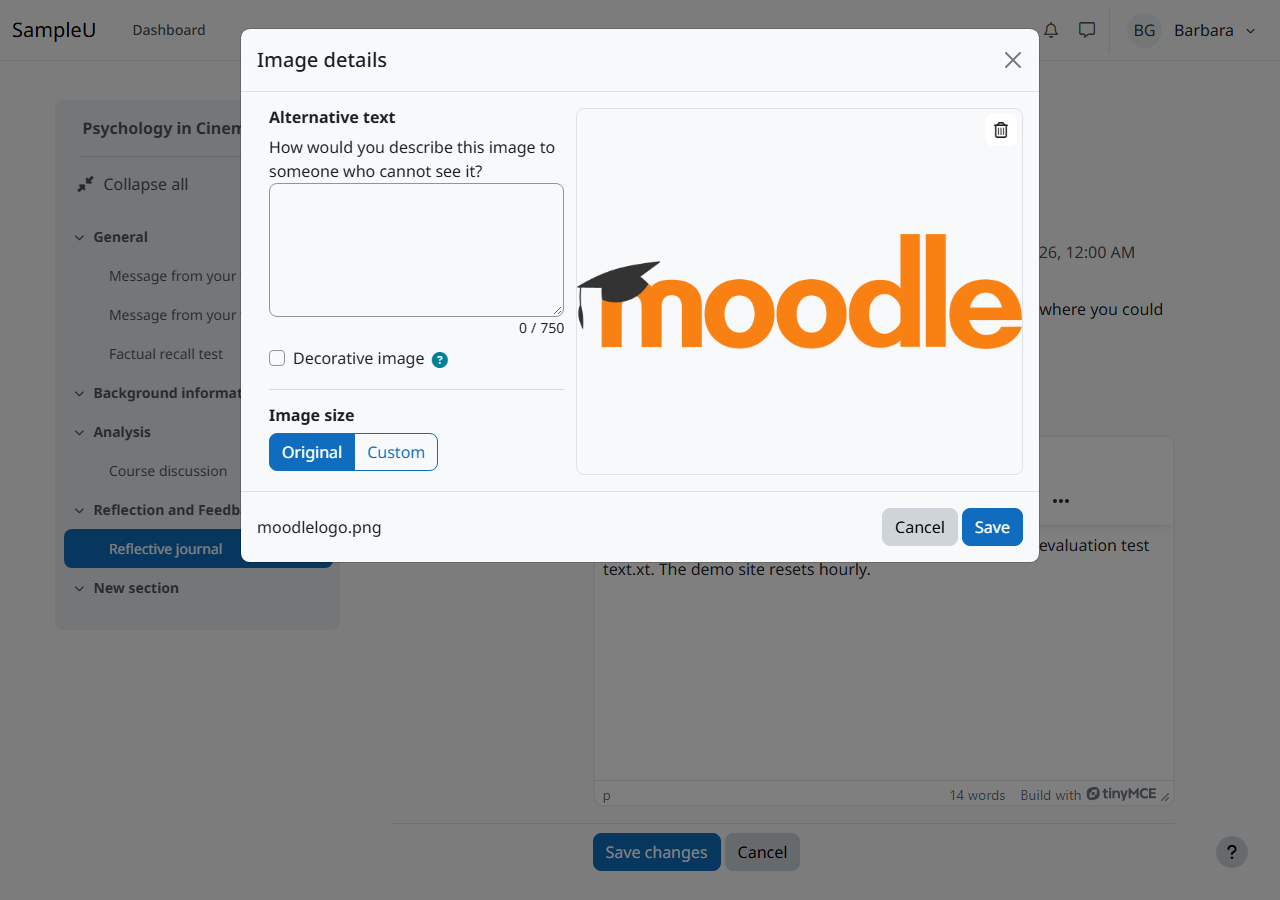
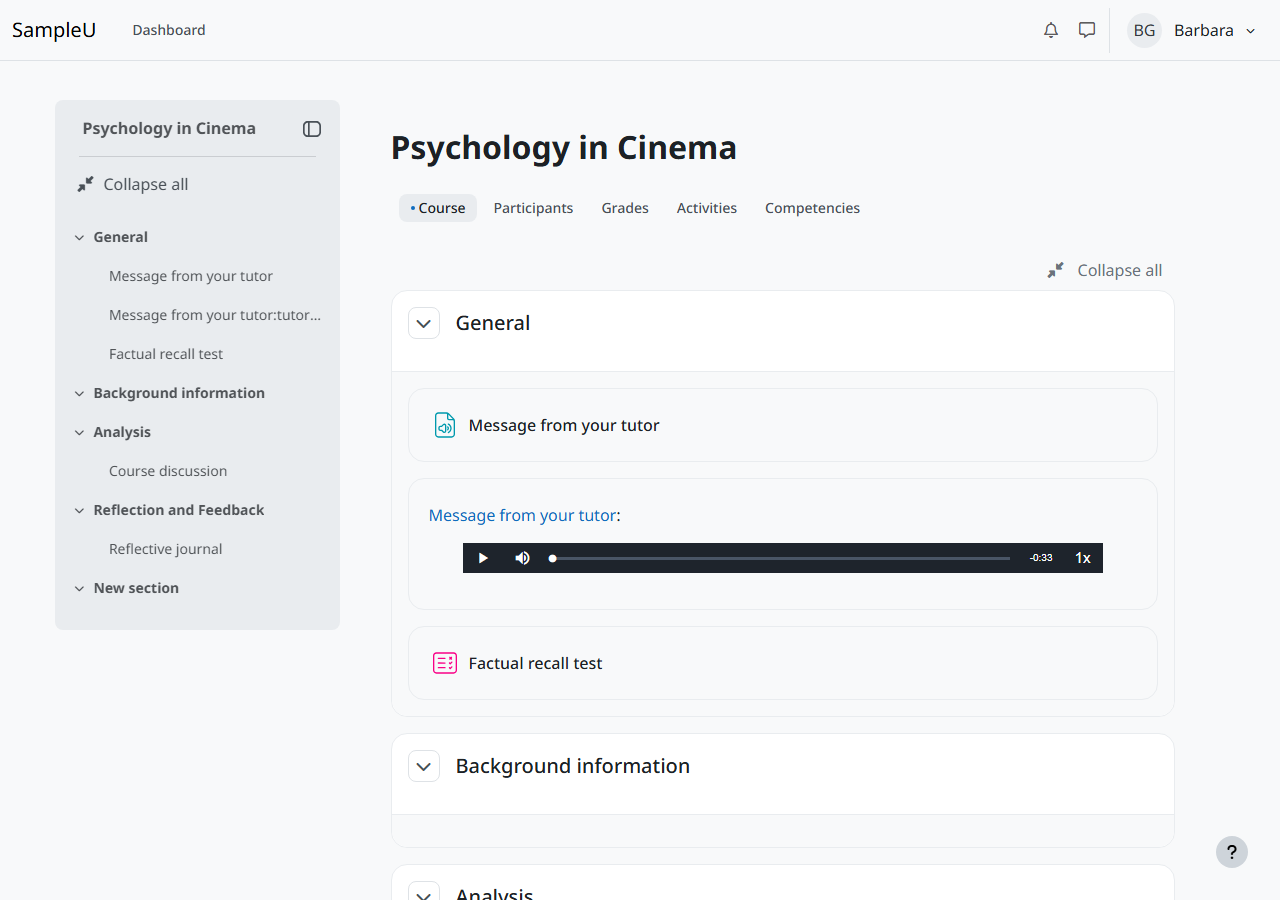
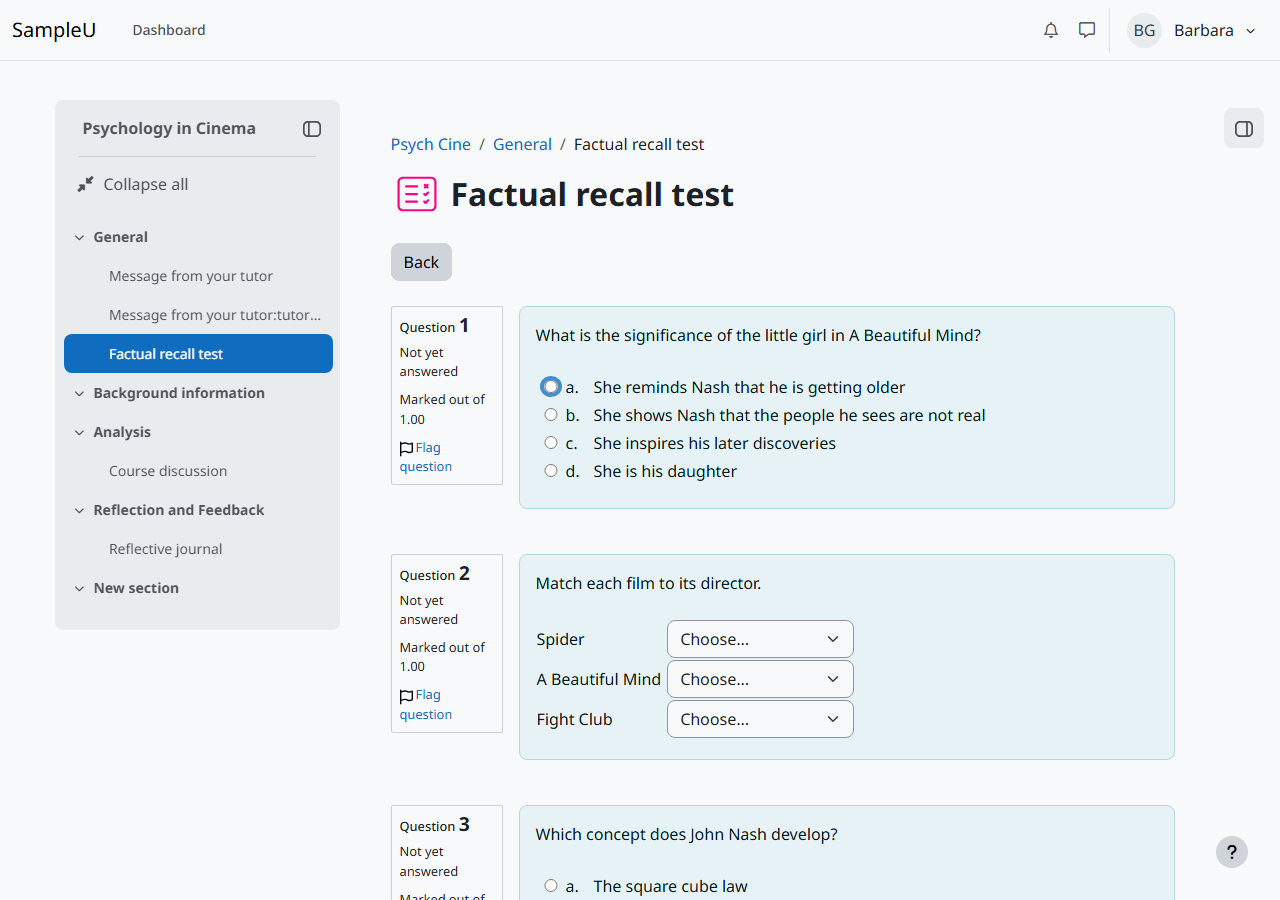
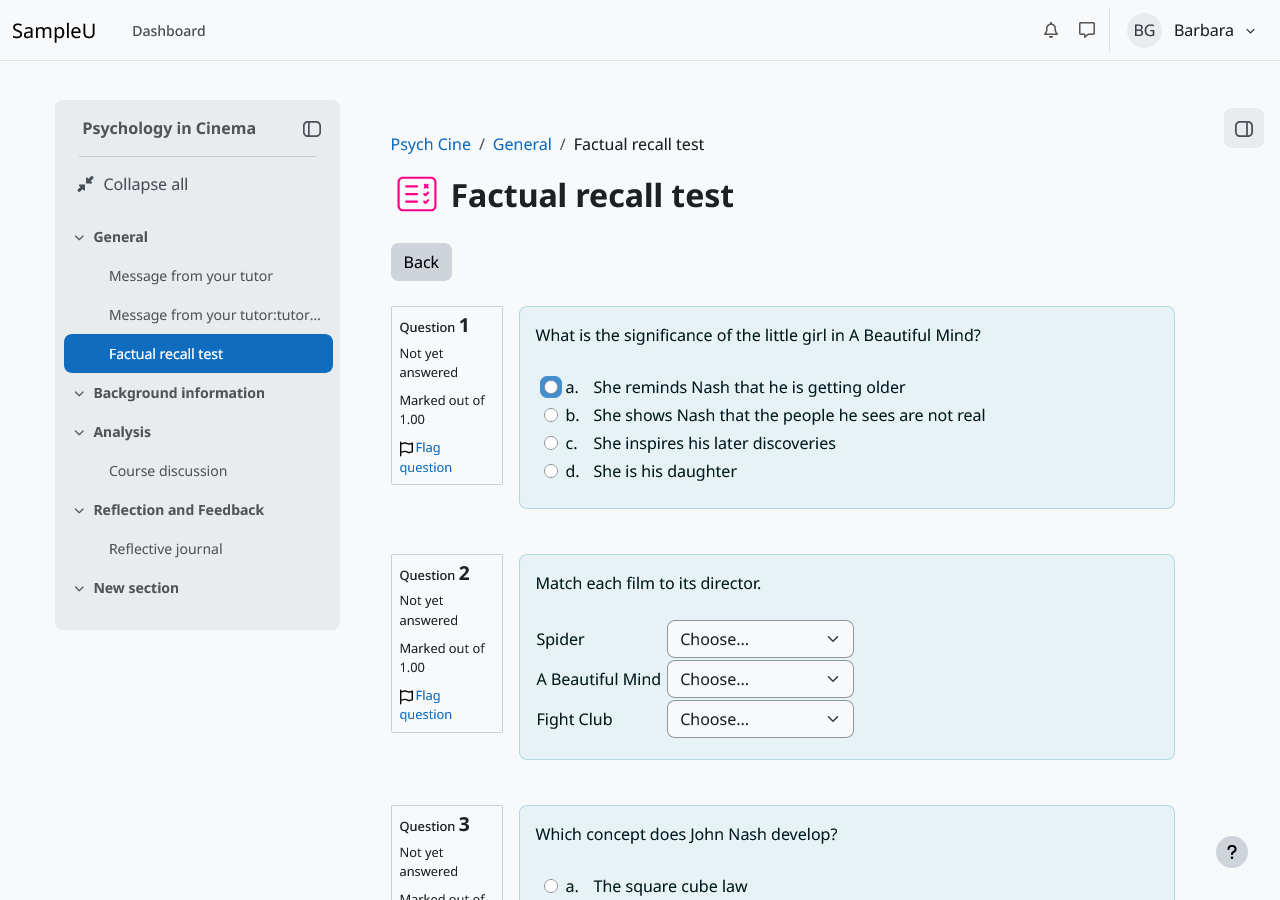
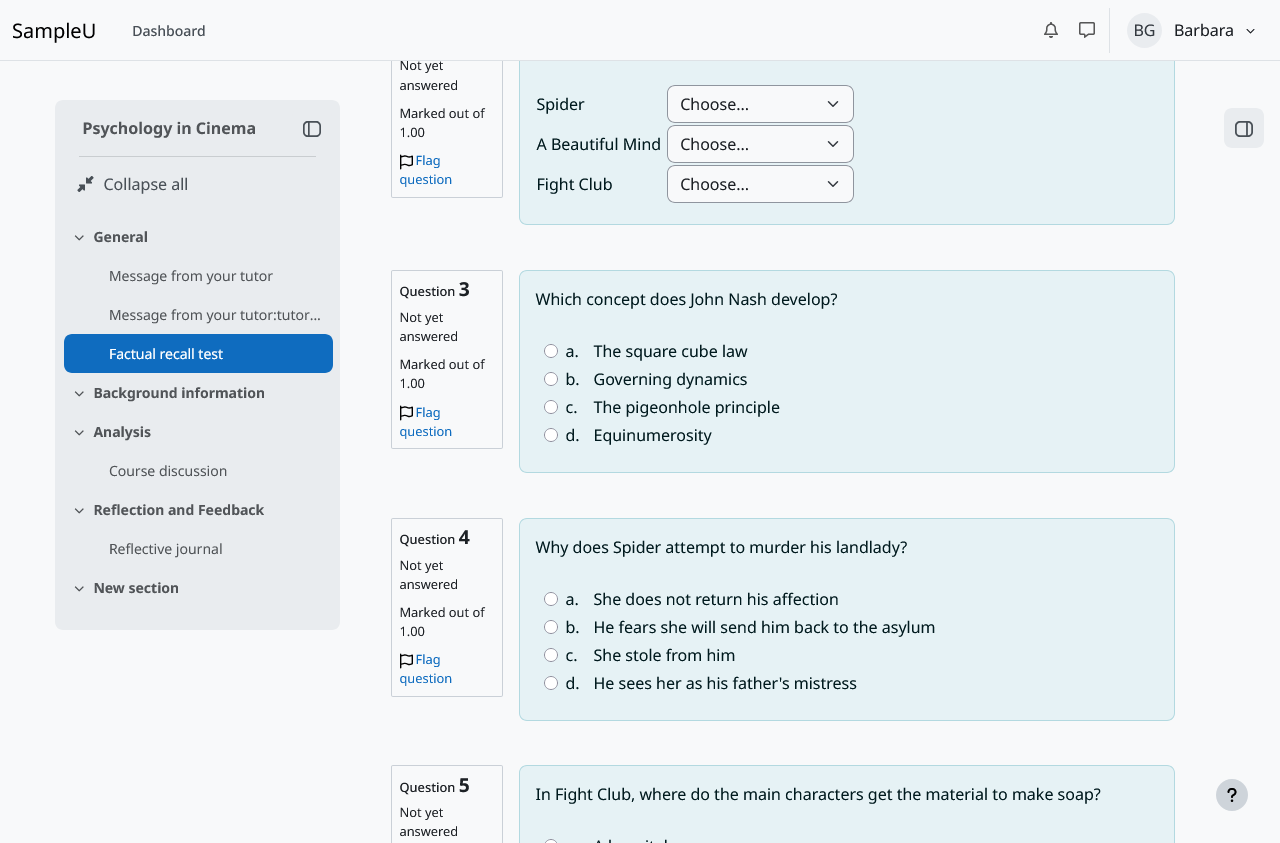
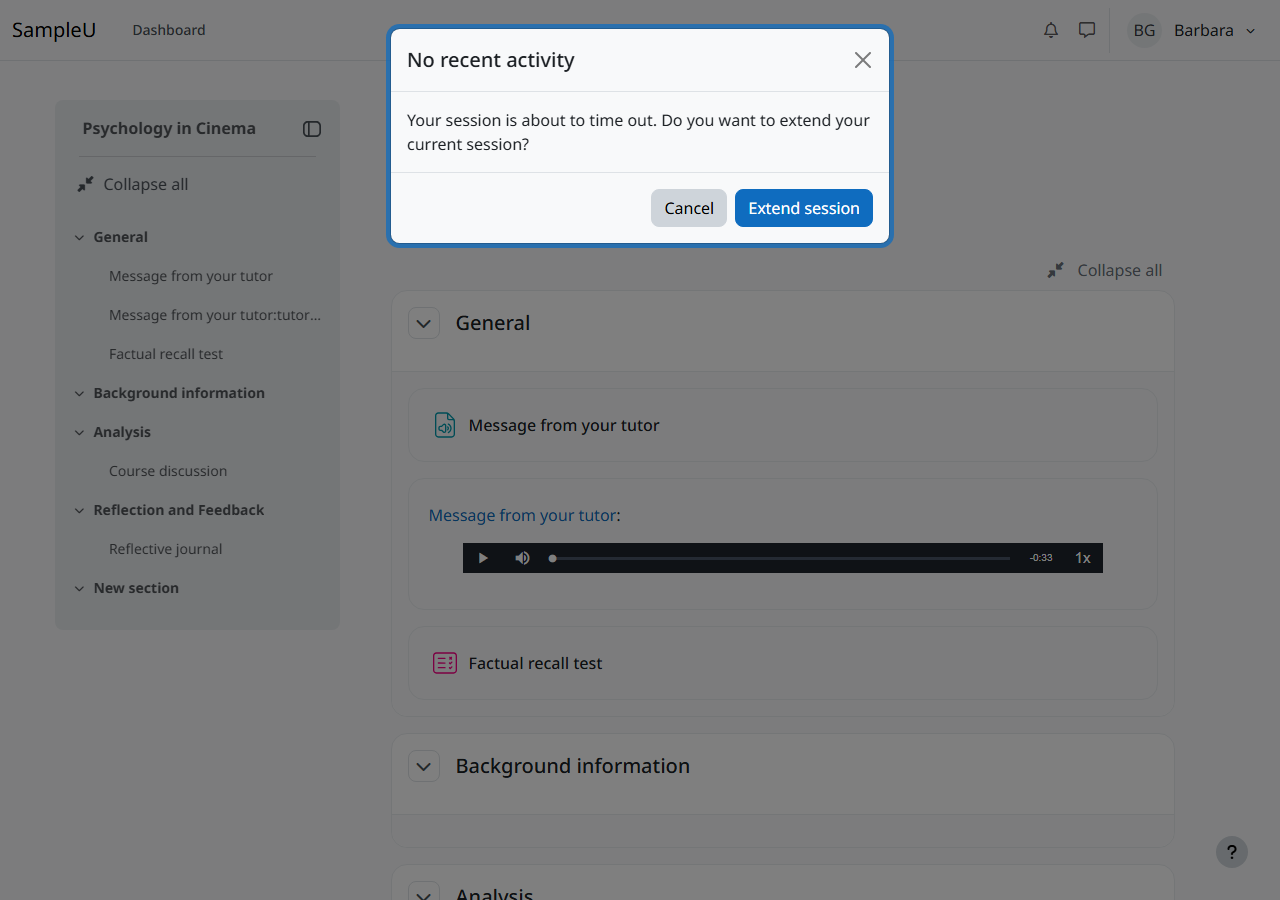
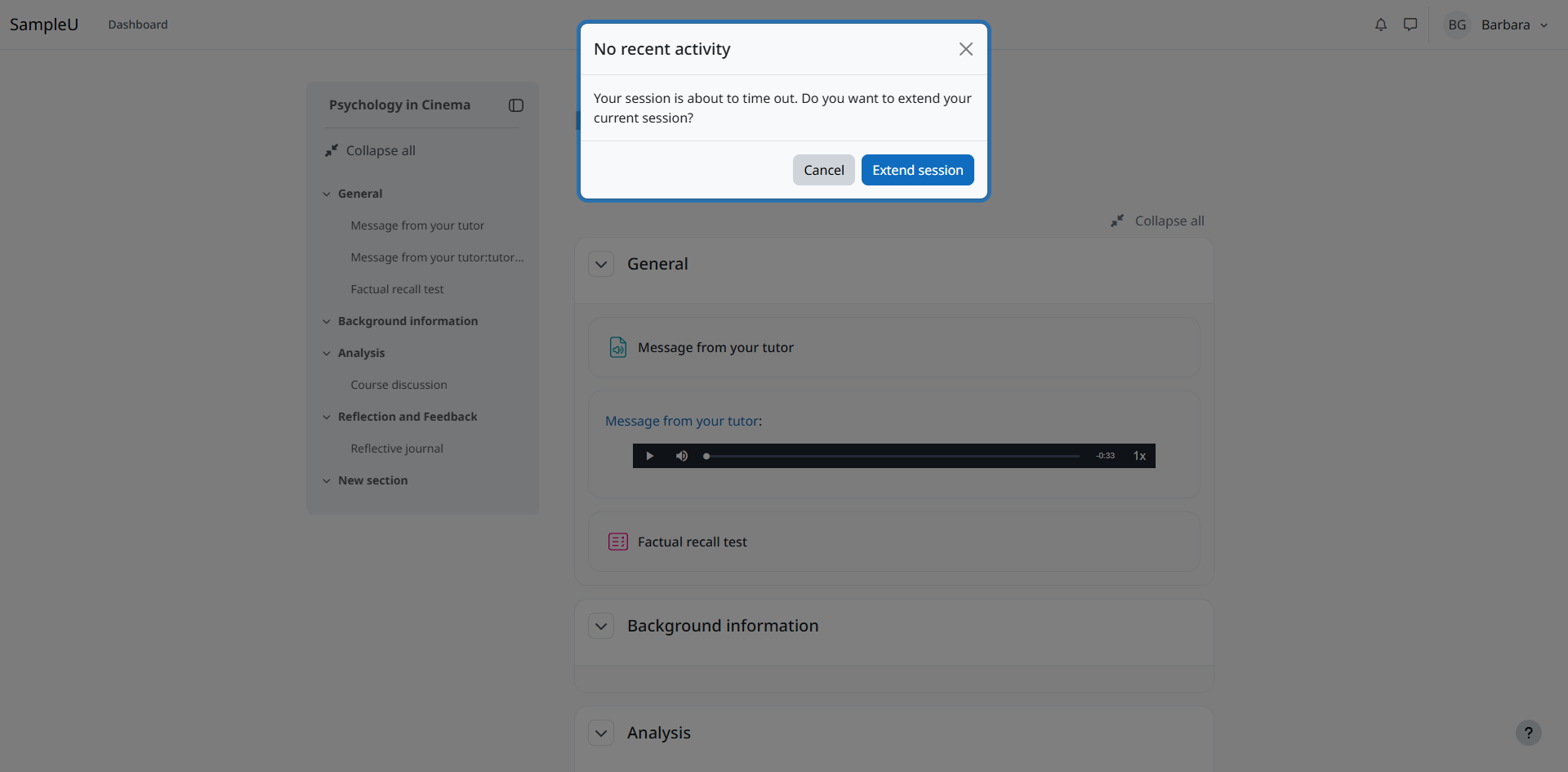

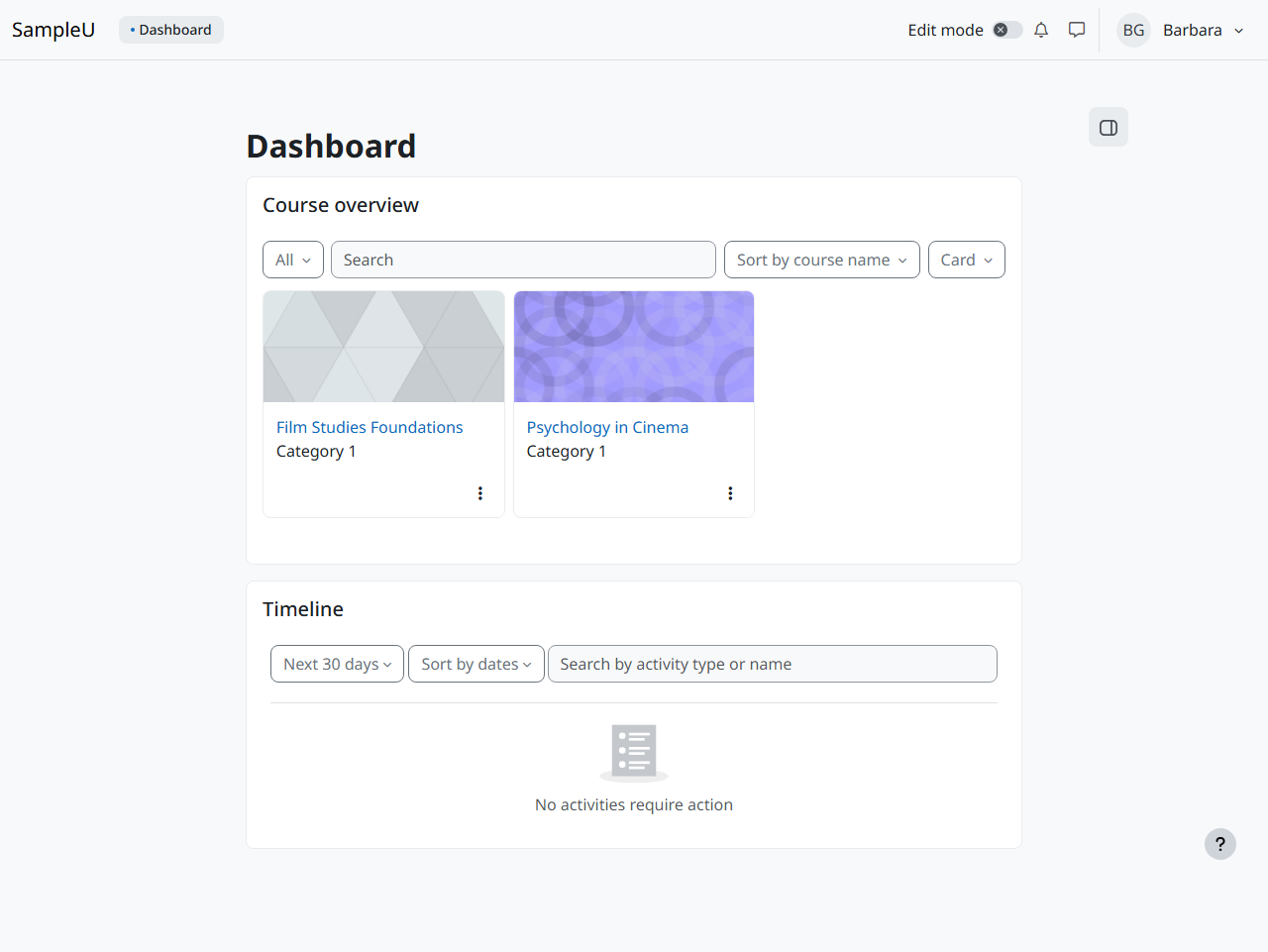
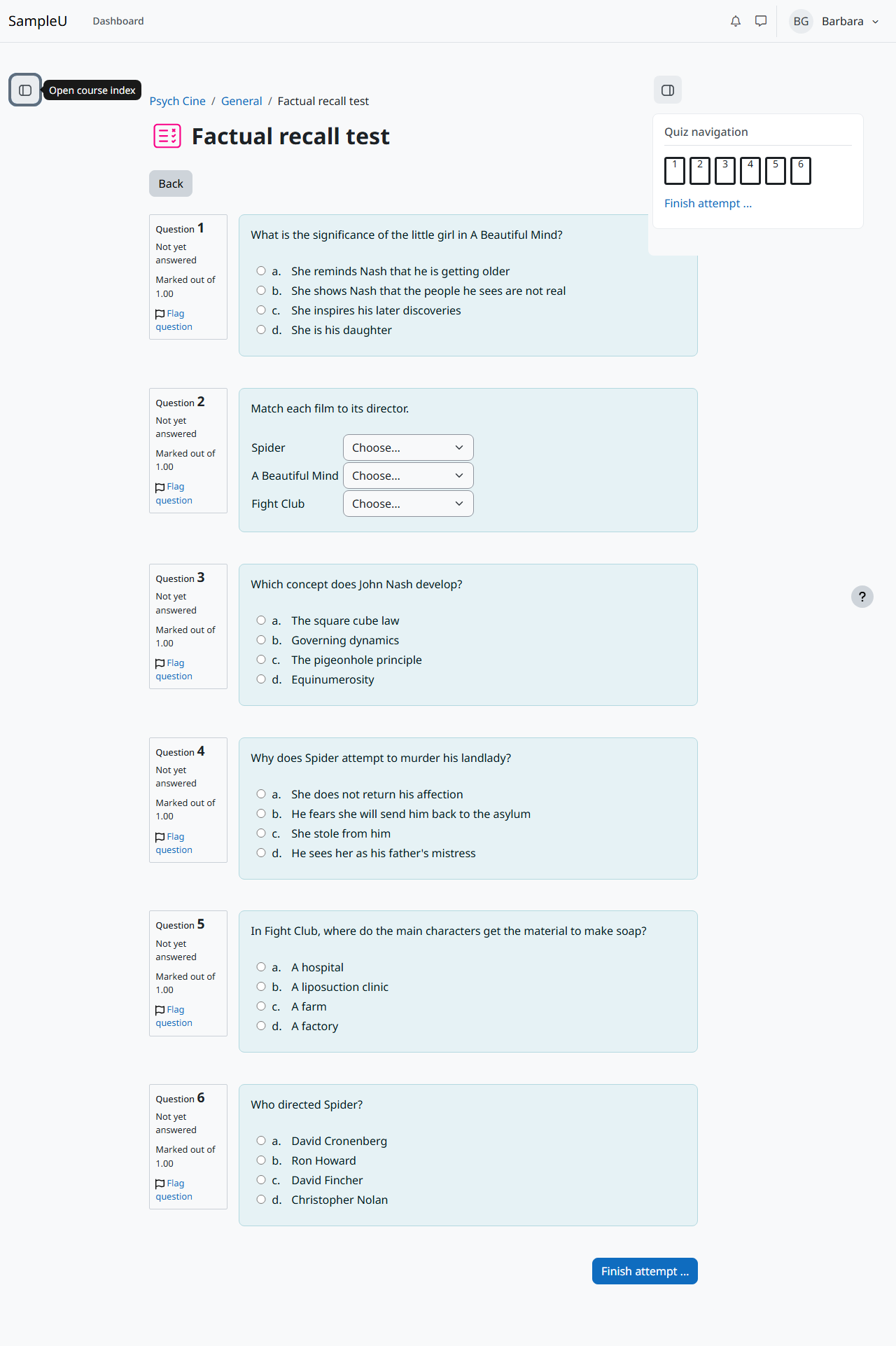
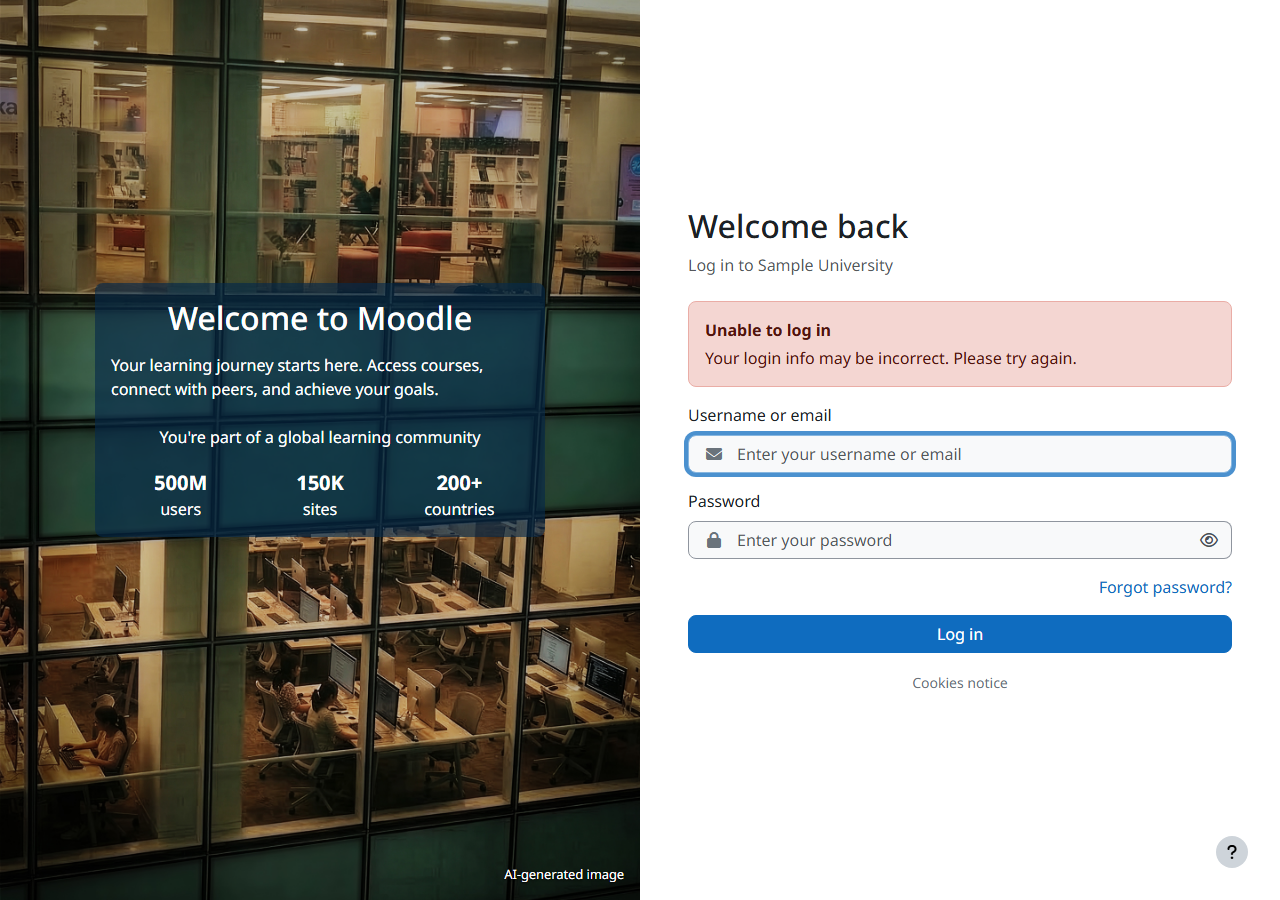
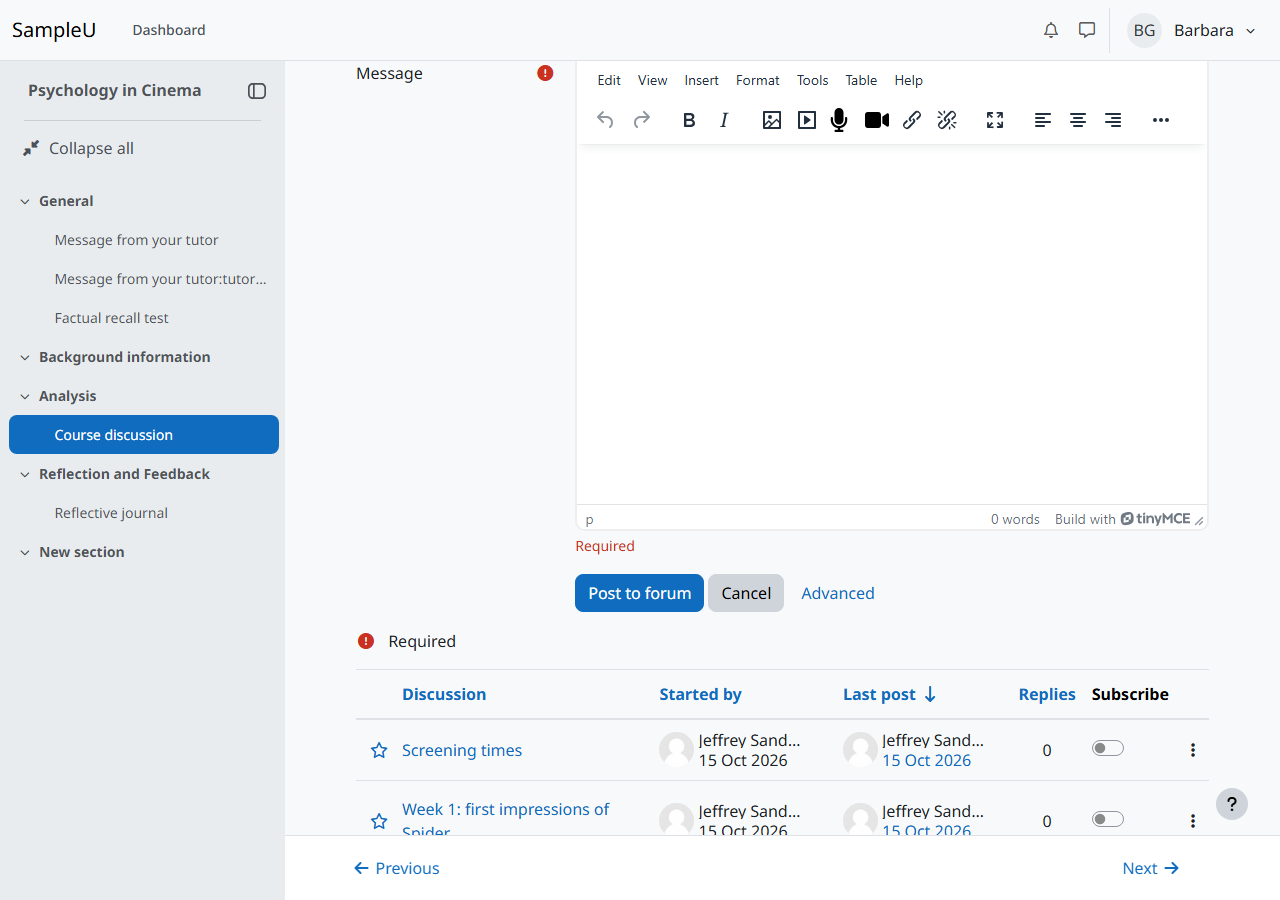
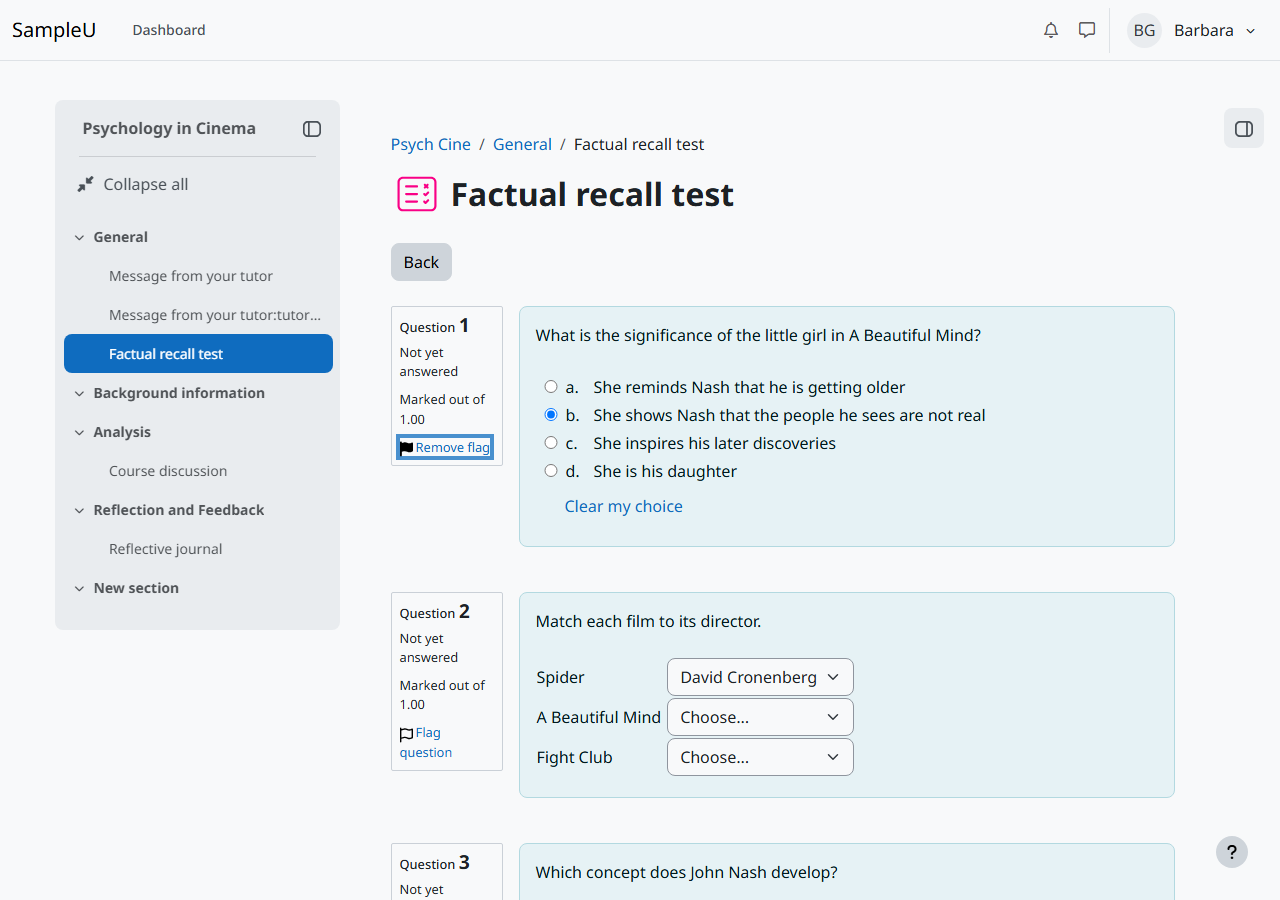
Table 2: Success Criteria, Level AA
| Criteria | Conformance Level | Remarks and Explanations |
|---|---|---|
| 1.2.4 Captions (Live) | Not Applicable | No live audio or video in the flows. How tested: markup inspection (Chromium accessibility tree and DOM). |
| 1.2.5 Audio Description (Prerecorded) | Not Applicable | No prerecorded video in the flows. How tested: markup inspection (Chromium accessibility tree and DOM). |
| 1.3.4 Orientation | Supports | Every page state worked in portrait (768 x 1024) and landscape. How tested: visual review of screenshots; portrait viewport test. Evidence: F3-course/portrait-course.png |
| 1.3.5 Identify Input Purpose | Supports | Login fields use autocomplete="username" and autocomplete="current-password". No other field asks for the user's own personal data. How tested: markup inspection (Chromium accessibility tree and DOM). Evidence: verify/W3.json |
| 1.4.3 Contrast (Minimum) | Supports | All text passed axe. Where axe could not decide (white text on the login page photo panel), screenshot pixels were sampled: the text measured at least 11:1 against its darkened background. How tested: axe-core 4.13 automated scan; contrast measurement; pixel sampling with scripts/sample-contrast.mjs. |
| 1.4.4 Resize Text | Supports | At 640 CSS px wide (200% zoom of a 1280 px wide window) all content and functions stayed available. The quiz attempt page overflows by 4 px with no loss of content. Browser text-only zoom was not tested. How tested: reflow at 320 CSS px and 200% zoom equivalent. Evidence: F5-quiz/zoom200-quiz-attempt.json |
| 1.4.5 Images of Text | Supports | The interface uses real text. How tested: visual review of screenshots. |
| 1.4.10 Reflow | Partially Supports | Platform: at 320 CSS px wide (400% zoom of a 1280 px wide window), the "Opened" and "Due" dates on assignment pages do not wrap, so the page scrolls sideways (364 px wide) and the dates are cut off. Minor: the quiz attempt page is 4 px too wide at 320 px. At 320 px the floating "Open course index" button sits over the lower left of the screen and covers part of whatever is under it (about 40% of the "Edit submission" button when the page first loads). Scrolling about 100 px moves the content clear, so nothing is lost and no fix is rated here. Data tables (grades, forum discussion list) scroll inside their own container, which WCAG allows. How tested: reflow at 320 CSS px and 200% zoom equivalent; visual review of screenshots. |
| 1.4.11 Non-text Contrast | Partially Supports | Platform: text fields and switches on the light grey page background (#f8f9fa), such as the forum Subject field, the forum search field and the forum subscription switches, have a #8f959e border, 2.86:1, below 3:1. The same border on white is 3.02:1 and passes. Platform: the messaging drawer search field has the same border on the drawer background #ebeef0, 2.59:1. It was measured with the drawer closed; the same colours show when it is open. The focus ring (3.36:1 on white, 3.19:1 on #f8f9fa) and the quiz radio buttons meet 3:1. Quiz drop-downs on the light blue question background have 2.64:1 borders but are also identified by their text and arrow, so they are not counted. How tested: contrast measurement; visual review of screenshots. |
| 1.4.12 Text Spacing | Supports | With WCAG text spacing applied, no visible text was clipped or overlapped on the page states checked. Only visually hidden screen reader text reported as clipped, which is expected. How tested: injected text spacing CSS, clipped-text check and screenshot review. Evidence: F3-course/textspacing-course.png |
| 1.4.13 Content on Hover or Focus | Partially Supports | Platform: the tooltip on the course index drawer button closes with Escape but disappears when the pointer moves from the button onto the tooltip, so it is not hoverable. Screen magnifier users can lose it. How tested: pointer and keyboard test on the course page. Evidence: verify/V3.json, verify/V3-tooltip-courseindex.png |
| 2.4.5 Multiple Ways | Supports | Pages can be reached through the primary navigation, the course index, breadcrumbs, the dashboard and the course list. How tested: visual review of screenshots; markup inspection (Chromium accessibility tree and DOM). |
| 2.4.6 Headings and Labels | Partially Supports | Platform: the password reveal button on the login page is labelled "Toggle sensitive", which does not tell the user it shows or hides the password. NVDA read it as "Toggle sensitive, button" in Chrome and Firefox. Headings and other labels describe their content. How tested: markup inspection (Chromium accessibility tree and DOM); NVDA 2026.2 with Chrome and Firefox. |
| 2.4.7 Focus Visible | Supports | Each Tab stop was screenshotted focused and unfocused and the two images compared; every measured stop showed a visible change. On the quiz attempt page the Tab walk never passed question 1, so the later questions, drop-downs and Finish button were measured on the quiz review page instead, and option a's focus ring is visible in the 2.1.1 evidence. How tested: keyboard-only walkthrough; pixel comparison of focused and unfocused states. |
| 2.4.11 Focus Not Obscured (Minimum) (Level AA 2.2 only) | Supports | Tabbing through all 7 page types with the sticky header in place, no focused element was fully hidden once scrolling finished. One stop (the "Course" tab on the course page) looked hidden while the page was still smooth-scrolling; a re-check with a 1.2 second pause showed it fully visible. How tested: Tab walk on each page type, sampling 9 points of each focused element with elementFromPoint; re-check of the one flagged stop. Evidence: verify/W1.json, verify/W1b.json |
| 2.5.7 Dragging Movements (Level AA 2.2 only) | Supports | No student task in the 7 flows needs dragging. The editor resize handle is optional and also moves with the arrow keys. Course and block drag-and-drop are teacher features outside scope. How tested: keyboard-only and pointer walkthrough of each flow; markup inspection. |
| 2.5.8 Target Size (Minimum) (Level AA 2.2 only) | Supports | Every pointer target on the 7 page types was measured. 128 were smaller than 24 by 24 CSS px; all met the spacing exception (a 24 px circle on the target does not overlap another target or its circle) or are browser-default radio buttons and checkboxes. No target failed. The spacing check is geometric, based on bounding boxes. How tested: script measuring all links, buttons and form controls on each page type. Evidence: verify/W2.json |
| 3.1.2 Language of Parts | Supports | The default install has only English, and the flows contain no passages in another language. How tested: markup inspection (Chromium accessibility tree and DOM). |
| 3.2.3 Consistent Navigation | Supports | The header, navigation, drawers and footer appear in the same order on every page. How tested: keyboard-only walkthrough; visual review of screenshots. |
| 3.2.4 Consistent Identification | Supports | Repeated functions use the same names and icons across pages. How tested: markup inspection (Chromium accessibility tree and DOM). |
| 3.3.3 Error Suggestion | Supports | Error messages say what to do: "Required" on empty forum fields, "Your login info may be incorrect. Please try again." on failed login. How tested: keyboard-only walkthrough. Evidence: F6-forum/validation-errors.png |
| 3.3.4 Error Prevention (Legal, Financial, Data) | Supports | Quiz answers can be reviewed on the summary page before submitting, and "Submit all and finish" asks for confirmation in a dialog that can be cancelled. The assignment saves as a draft that can be edited. How tested: keyboard-only walkthrough; markup inspection (Chromium accessibility tree and DOM). Evidence: F5-quiz/submit-confirm-dialog.png, verify/V4.json |
| 3.3.8 Accessible Authentication (Minimum) (Level AA 2.2 only) | Supports | Login asks only for username and password. Both fields have autocomplete values ("username", "current-password") so password managers can fill them, pasting is not blocked (a keyboard paste into the password field worked), and there is no CAPTCHA or other cognitive test. How tested: markup inspection; paste event and Ctrl+V paste into both fields. Evidence: verify/W3.json |
| 4.1.3 Status Messages | Supports | The forum "Post added" message uses role="alert" and the dashboard course list has a polite live region. The login error appears after a full page reload, so it is page content rather than a status message (see Advisory notes). How tested: markup inspection (Chromium accessibility tree and DOM). Evidence: run-F6.json |
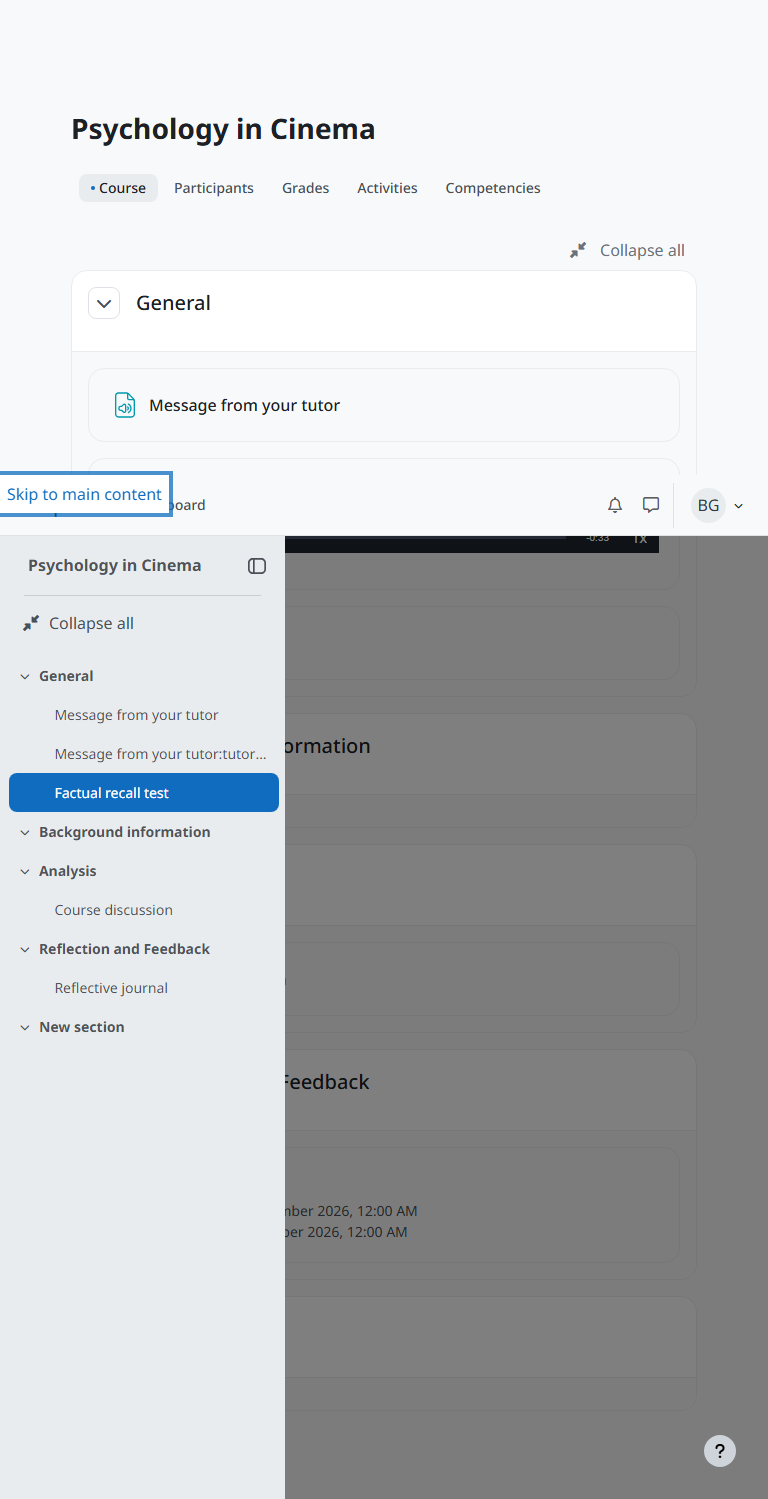
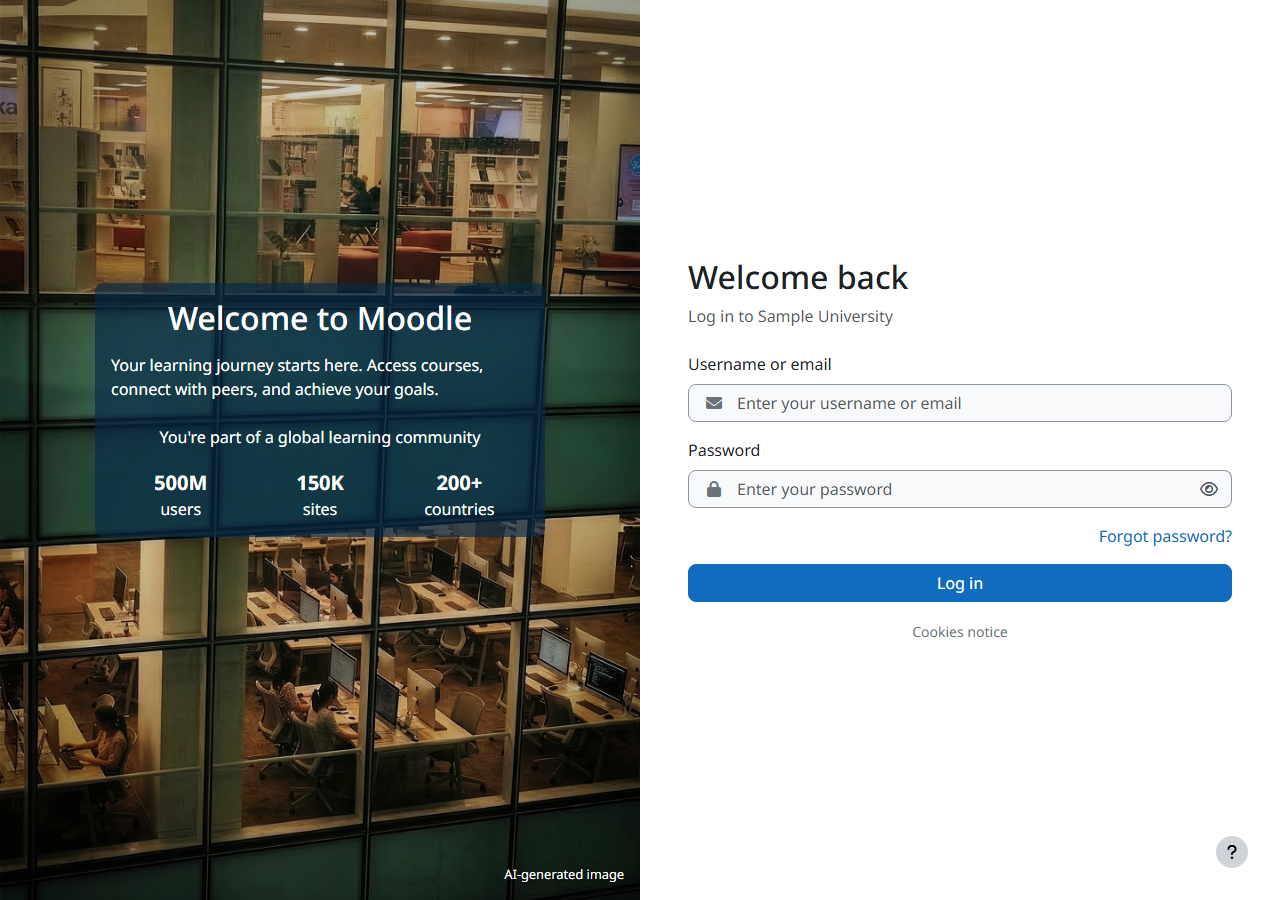
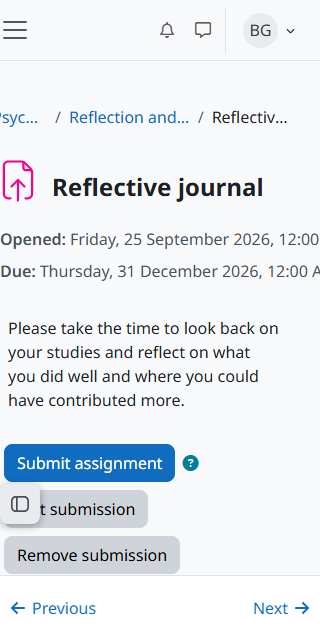
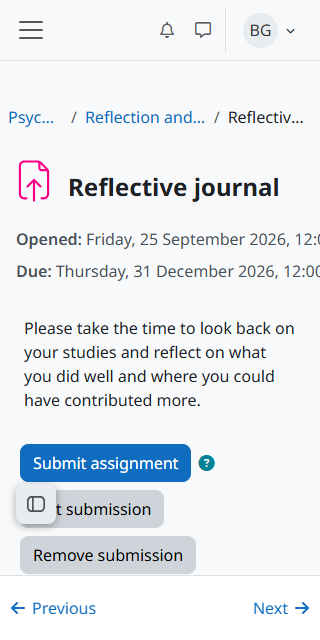
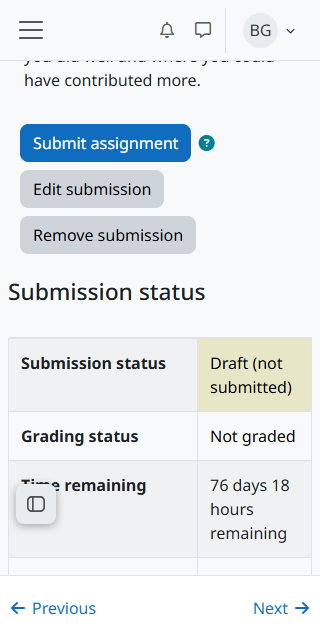
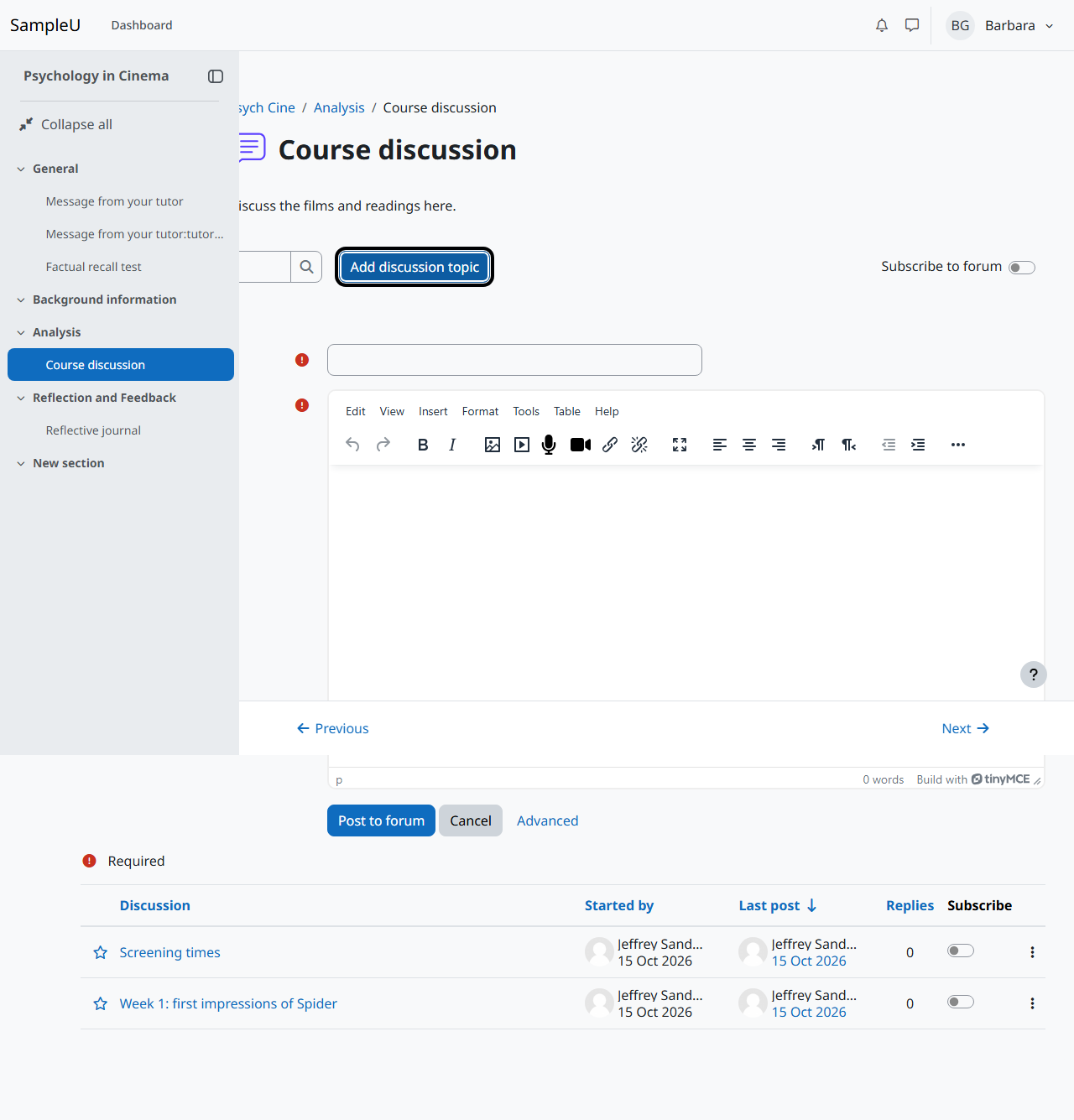
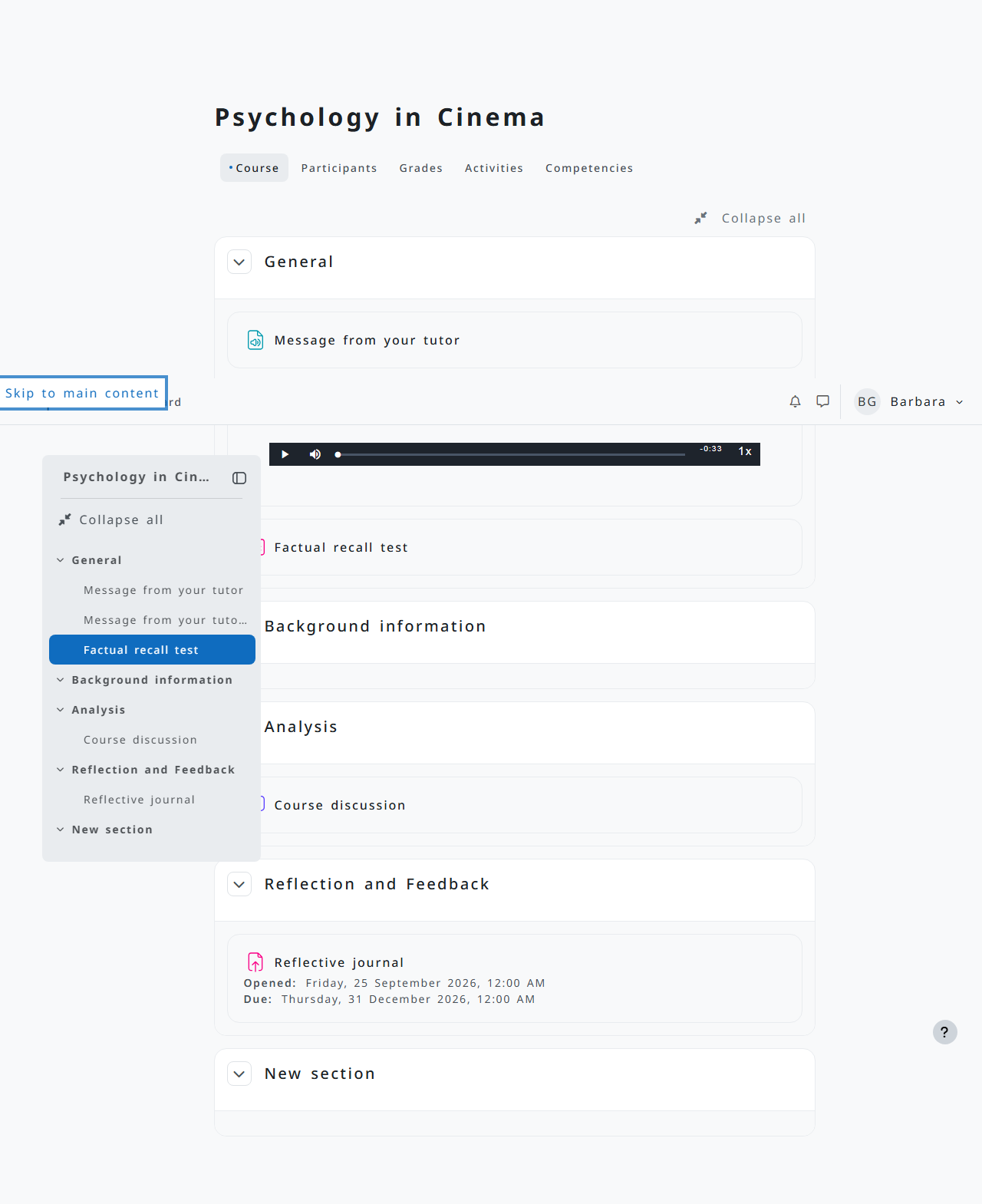
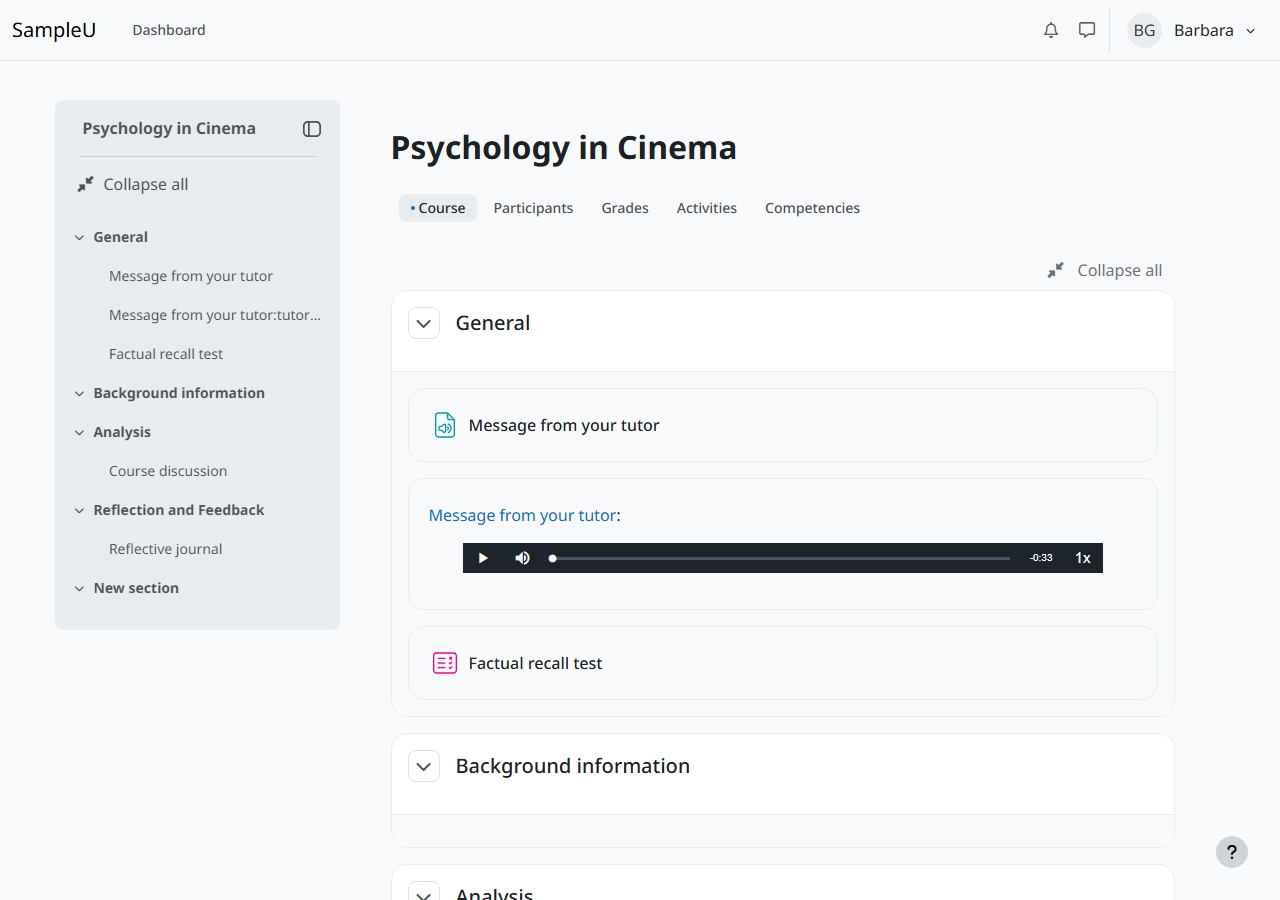
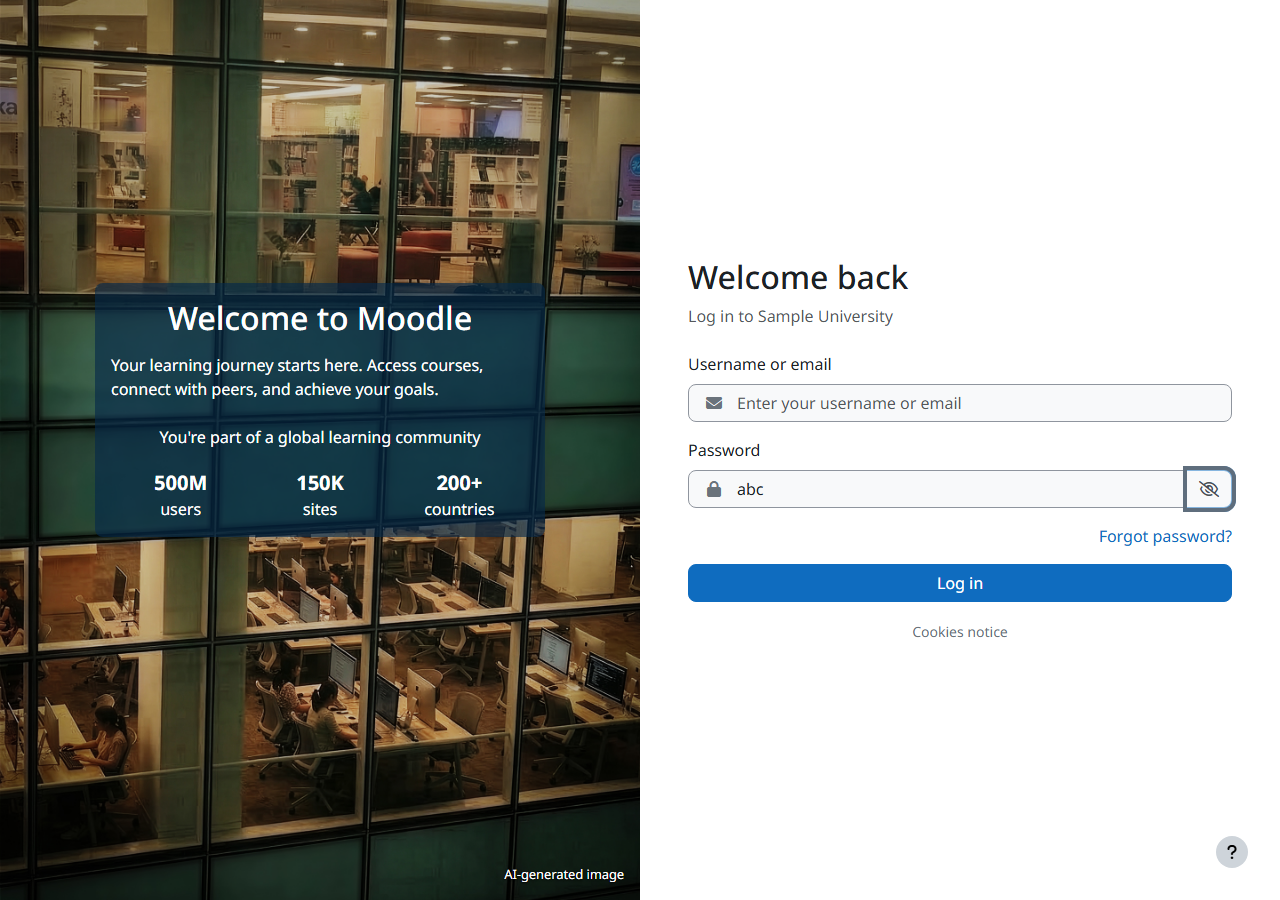
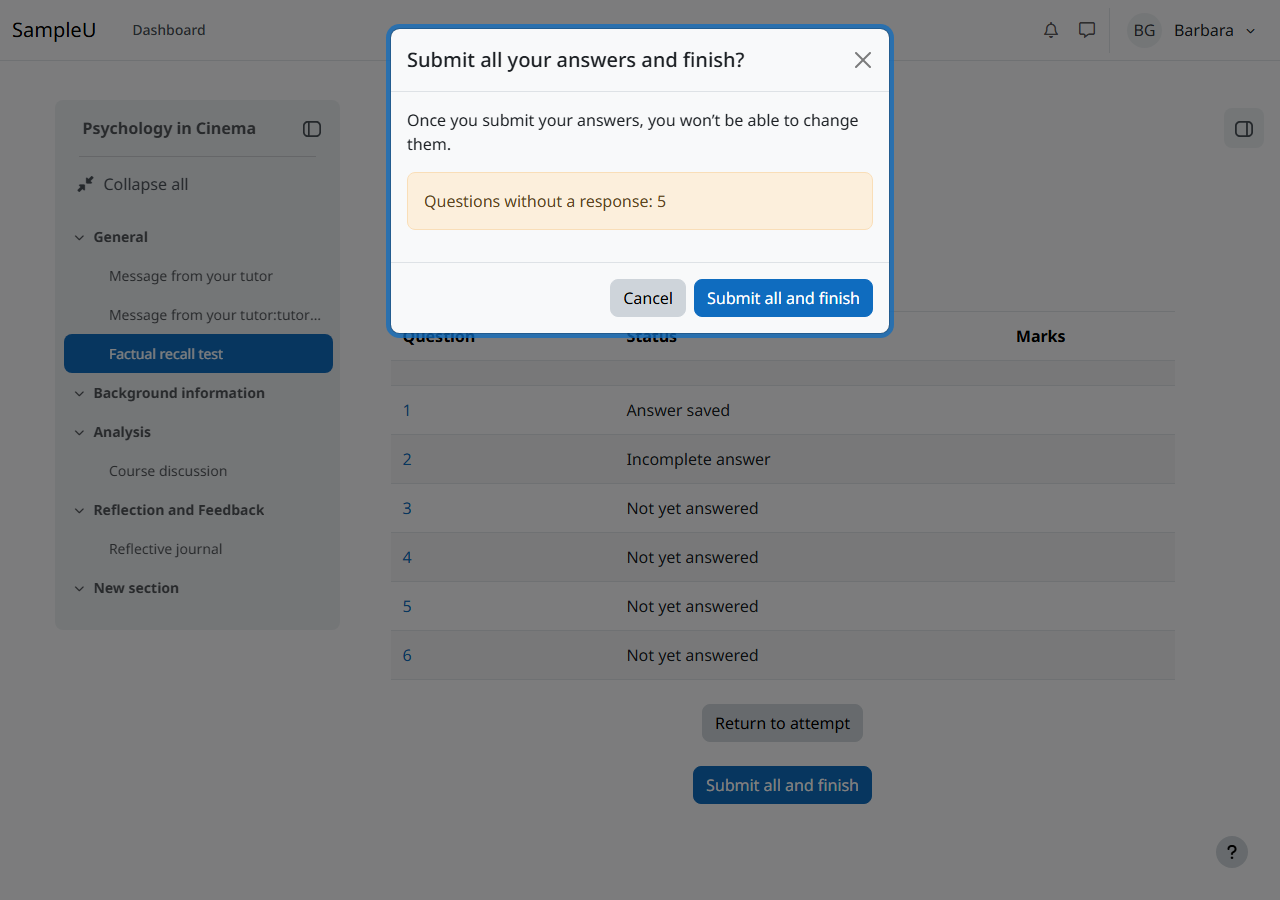
Table 3: Success Criteria, Level AAA
Level AAA criteria were not evaluated and are not included in this report.
Revised Section 508 Report
Chapter 3: Functional Performance Criteria (FPC)
| Criteria | Conformance Level | Remarks and Explanations |
|---|---|---|
| 302.1 Without Vision | Partially Supports | See WCAG 2.1.1, 2.4.3, 2.4.6 and 4.1.2, tested with NVDA 2026.2 in Chrome and Firefox. Screen reader users who move with Tab (focus mode) cannot get past an unanswered quiz question, though browse mode (H, arrow keys, F) gets past it; the password reveal button is read as "Toggle sensitive, button" with no state; the forum Message editor is announced only as "application" in Chrome (no speech was captured within 2 seconds in Firefox, not confirmed); the quiz flag reads "Flagged, toggle button, not pressed" on unflagged questions. Forum fields, forum validation errors and the timeout dialog buttons were read correctly; the login error was not announced after the page reload (see Advisory notes). |
| 302.2 With Limited Vision | Partially Supports | See WCAG 1.4.10, 1.4.11 and 1.4.13: sideways scrolling of activity dates at 400% zoom, faint field borders, and a tooltip that closes when the pointer moves onto it. |
| 302.3 Without Perception of Color | Supports | See WCAG 1.4.1 and 1.4.3. |
| 302.4 Without Hearing | Supports | See WCAG 1.2.1. |
| 302.5 With Limited Hearing | Supports | See WCAG 1.2.1. |
| 302.6 Without Speech | Supports | No function in the flows needs speech. |
| 302.7 With Limited Manipulation | Partially Supports | See WCAG 2.1.1 and 2.5.3: the quiz Tab defect affects keyboard and switch users, and names that differ from visible text affect voice control users. |
| 302.8 With Limited Reach and Strength | Supports | Everything in the flows, including the quiz, can be completed with a pointer alone or a keyboard alone; no time-critical or simultaneous actions are needed. |
| 302.9 With Limited Language, Cognitive, and Learning Abilities | Partially Supports | See WCAG 2.4.6: the unclear "Toggle sensitive" name. Error messages are clear (3.3.1, 3.3.3) and login needs no cognitive test (3.3.8). |
Chapter 4: Hardware
Not Applicable: Moodle LMS is software.
Chapter 5: Software
| Criteria | Conformance Level | Remarks and Explanations |
|---|---|---|
| 501.1 Scope, Incorporation of WCAG 2.0 AA | Heading cell, no response required | Moodle LMS is web content and is evaluated against the WCAG tables above. |
| 502 Interoperability with Assistive Technology | ||
| 502.2.1 User Control of Accessibility Features | Not Applicable | Applies to platform software. Moodle LMS runs in a browser and is not a platform. |
| 502.2.2 No Disruption of Accessibility Features | Supports | Moodle LMS did not turn off or override browser or operating system accessibility features in the flows. Browser zoom and keyboard navigation kept working. |
| 502.3 Accessibility Services | ||
| 502.3.1 Object Information | Not Applicable | Web content; covered by WCAG 4.1.2 above. |
| 502.3.2 Modification of Object Information | Not Applicable | Web content; covered by WCAG 4.1.2 above. |
| 502.3.3 Row, Column, and Headers | Not Applicable | Web content; covered by WCAG 1.3.1 above. |
| 502.3.4 Values | Not Applicable | Web content; covered by WCAG 4.1.2 above. |
| 502.3.5 Modification of Values | Not Applicable | Web content; covered by WCAG 4.1.2 above. |
| 502.3.6 Label Relationships | Not Applicable | Web content; covered by WCAG 1.3.1 above. |
| 502.3.7 Hierarchical Relationships | Not Applicable | Web content; covered by WCAG 1.3.1 above. |
| 502.3.8 Text | Not Applicable | Web content; covered by WCAG 4.1.2 above. |
| 502.3.9 Modification of Text | Not Applicable | Web content; covered by WCAG 4.1.2 above. |
| 502.3.10 List of Actions | Not Applicable | Web content; covered by WCAG 4.1.2 above. |
| 502.3.11 Actions on Objects | Not Applicable | Web content; covered by WCAG 4.1.2 above. |
| 502.3.12 Focus Cursor | Not Applicable | Web content; covered by WCAG 2.4.7 above. |
| 502.3.13 Modification of Focus Cursor | Not Applicable | Web content; covered by WCAG 2.4.3 above. |
| 502.3.14 Event Notification | Not Applicable | Web content; covered by WCAG 4.1.3 above. |
| 502.4 Platform Accessibility Features | Not Applicable | Applies to platform software. |
| 503 Applications | ||
| 503.2 User Preferences | Supports | Browser zoom and text spacing were respected (WCAG 1.4.4, 1.4.12). With Windows contrast themes emulated (forced colours), text, controls, borders and focus stayed visible on the dashboard, course, forum and quiz pages; only the decorative quiz flag icon disappears, and its text label stays. |
| 503.3 Alternative User Interfaces | Not Applicable | Moodle LMS does not provide an alternative user interface that works as assistive technology. |
| 503.4 User Controls for Captions and Audio Description | ||
| 503.4.1 Caption Controls | Not Applicable | No video is in the evaluated flows. |
| 503.4.2 Audio Description Controls | Not Applicable | No video is in the evaluated flows. |
| 504 Authoring Tools | ||
| 504.2 Content Creation or Editing | Partially Supports | The TinyMCE editor in the assignment and forum flows is an authoring tool. It lets authors create accessible content (headings, lists, links, image alternative text) and its interface works by keyboard, but the editable area naming issue in WCAG 4.1.2 applies. |
| 504.2.1 Preservation of Information Provided for Accessibility in Format Conversion | Not Applicable | The editor saves HTML and does not convert content to another format in the evaluated flows. |
| 504.2.2 PDF Export | Not Applicable | The editor in the evaluated flows has no PDF export. |
| 504.3 Prompts | Supports | The image dialog asks "How would you describe this image to someone who cannot see it?" with a "Decorative image" option, and Tools > Accessibility checker is available to students. |
| 504.4 Templates | Not Applicable | The editor offers no content templates in the evaluated flows. |
Chapter 6: Support Documentation and Services
Method for Chapter 6 and EN 301 549 Clause 12: 4 representative public pages (moodle.com/accessibility, the support.moodle.com home page, the support site's accessibility statement, and the moodle.org community forums page) were each requested once, saved, and checked offline with axe-core and by inspection. The MoodleDocs "Accessibility" page was read once as text, because docs.moodle.org answers plain requests with a bot challenge. Target-size and contrast results on the saved copies were not used, because the sites' style sheets were not loaded. Evidence: evidence/docs/.
| Criteria | Conformance Level | Remarks and Explanations |
|---|---|---|
| 601.1 Scope | ||
| 602 Support Documentation | ||
| 602.2 Accessibility and Compatibility Features | Partially Supports | Moodle describes its accessibility commitment, the standards it follows and its own VPATs (moodle.com/accessibility and the MoodleDocs "Accessibility" page). The pages checked do not explain how to use accessibility features such as keyboard shortcuts or screen reader and browser compatibility. |
| 602.3 Electronic Support Documentation | Partially Supports | moodle.com/accessibility and the two support.moodle.com pages had no WCAG markup failures in axe apart from one: the feedback form on the support accessibility statement has a reCAPTCHA iframe with no title. The moodle.org community page has 3 images without alt text, including the small-screen logo link, which therefore has no accessible name, and list markup errors in its navigation. |
| 602.4 Alternate Formats for Non-Electronic Support Documentation | Not Applicable | All support documentation is electronic. |
| 603 Support Services | ||
| 603.2 Information on Accessibility and Compatibility Features | Supports | The support site links to the Moodle LMS VPAT documentation and has its own accessibility statement; moodle.com/accessibility links the VPATs for Moodle LMS, Workplace and the App. Support for self-hosted sites is given by Moodle Partners and the hosting organisation, whose services were not contacted. |
| 603.3 Accommodation of Communication Needs | Partially Supports | The support site's accessibility statement offers content in other formats on request (accessible PDF, large print, audio) and a way to report barriers. That route is a feedback form that requires an email address and a reCAPTCHA check, and the page names no alternative such as an email address or phone number, so users who cannot complete a CAPTCHA may be blocked. No request was actually sent. |
EN 301 549 Report
Clause 4: Functional Performance Statements (FPS)
| Criteria | Conformance Level | Remarks and Explanations |
|---|---|---|
| 4.2.1 Usage without vision | Partially Supports | See Section 508 302.1. |
| 4.2.2 Usage with limited vision | Partially Supports | See Section 508 302.2. |
| 4.2.3 Usage without perception of colour | Supports | See Section 508 302.3. |
| 4.2.4 Usage without hearing | Supports | See WCAG 1.2.1. |
| 4.2.5 Usage with limited hearing | Supports | See WCAG 1.2.1. |
| 4.2.6 Usage with no or limited vocal capability | Supports | See Section 508 302.6. |
| 4.2.7 Usage with limited manipulation or strength | Partially Supports | See Section 508 302.7. |
| 4.2.8 Usage with limited reach | Supports | See Section 508 302.8. |
| 4.2.9 Minimize photosensitive seizure triggers | Supports | See WCAG 2.3.1. |
| 4.2.10 Usage with limited cognition, language or learning | Partially Supports | See Section 508 302.9. |
| 4.2.11 Privacy | Supports | The accessibility features in the flows (password reveal, keyboard access, text alternatives) do not expose more personal information than for other users. |
Clause 5: Generic Requirements
| Criteria | Conformance Level | Remarks and Explanations |
|---|---|---|
| 5.1 Closed functionality | Not Applicable | Moodle LMS is open to assistive technology. |
| 5.2 Activation of accessibility features | Not Applicable | The product has no accessibility mode to activate. |
| 5.3 Biometrics | Not Applicable | No biometric login in scope. |
| 5.4 Preservation of accessibility information during conversion | Not Applicable | No format conversion in the flows. |
| 5.5.1 Means of operation | Not Applicable | Applies to hardware. |
| 5.5.2 Operable parts discernibility | Not Applicable | Applies to hardware. |
| 5.6.1 Tactile or auditory status | Not Applicable | Applies to hardware. |
| 5.6.2 Visual status | Supports | On-screen toggles (password reveal eye icon, forum subscription switch, quiz flag) show their state visually. |
| 5.7 Key repeat | Not Applicable | Key repeat is handled by the operating system. |
| 5.8 Double-strike key acceptance | Not Applicable | Handled by the operating system. |
| 5.9 Simultaneous user actions | Supports | No function needs simultaneous actions. |
Clause 6: ICT with Two-Way Voice Communication
Notes: The ICT covered by this report has no two-way voice communication. As such, the requirements of this clause do not apply.
Clause 7: ICT with Video Capabilities
| Criteria | Conformance Level | Remarks and Explanations |
|---|---|---|
| 7.1.1 Captioning playback | Not Applicable | No video is in the evaluated flows. |
| 7.1.2 Captioning synchronization | Not Applicable | No video is in the evaluated flows. |
| 7.1.3 Preservation of captioning | Not Applicable | No video is in the evaluated flows. |
| 7.1.4 Captions characteristics | Not Applicable | No video is in the evaluated flows. |
| 7.1.5 Spoken subtitles | Not Applicable | No video is in the evaluated flows. |
| 7.2.1 Audio description playback | Not Applicable | No video is in the evaluated flows. |
| 7.2.2 Audio description synchronization | Not Applicable | No video is in the evaluated flows. |
| 7.2.3 Preservation of audio description | Not Applicable | No video is in the evaluated flows. |
| 7.3 User controls for captions and audio description | Not Applicable | See Section 508 503.4. |
Clause 8: Hardware
Notes: The ICT covered by this report is not hardware. As such, the requirements of this clause do not apply.
Clause 9: Web
| Criteria | Conformance Level | Remarks and Explanations |
|---|---|---|
| 9.1 to 9.4 | See WCAG 2.x section | Each WCAG 2.1 A and AA row above applies as EN 301 549 clause 9 plus the WCAG number (for example, 1.1.1 is 9.1.1.1). |
Clause 10: Non-web Documents
Notes: No non-web documents are in the evaluated flows. As such, the requirements of this clause do not apply.
Clause 11: Software
Notes: Moodle LMS is a web application, so clauses 11.1 to 11.4 are covered by Clause 9 and the WCAG section. The rows below cover the clauses that still apply to it.
| Criteria | Conformance Level | Remarks and Explanations |
|---|---|---|
| 11.5 Interoperability with assistive technology | Not Applicable | See Section 508 502.3.1 to 502.3.14. |
| 11.6.1 User control of accessibility features | Not Applicable | See Section 508 502.2.1. |
| 11.6.2 No disruption of accessibility features | Supports | See Section 508 502.2.2. |
| 11.7 User preferences | Supports | See Section 508 503.2. |
| 11.8.1 Content technology | Supports | The editor produces HTML, which supports accessible content. |
| 11.8.2 Accessible content creation | Partially Supports | See Section 508 504.2. |
| 11.8.3 Preservation of accessibility information in transformations | Not Applicable | See Section 508 504.2.1. |
| 11.8.4 Repair assistance | Supports | The editor's Tools > Accessibility checker reports issues in the content. |
| 11.8.5 Templates | Not Applicable | See Section 508 504.4. |
Clause 12: Documentation and Support Services
| Criteria | Conformance Level | Remarks and Explanations |
|---|---|---|
| 12.1.1 Accessibility and compatibility features | Partially Supports | See Section 508 602.2. |
| 12.1.2 Accessible documentation | Partially Supports | See Section 508 602.3. |
| 12.2.2 Information on accessibility and compatibility features | Supports | See Section 508 603.2. |
| 12.2.3 Effective communication | Partially Supports | See Section 508 603.3. |
| 12.2.4 Accessible documentation | Partially Supports | See Section 508 602.3. |
Clause 13: ICT Providing Relay or Emergency Service Access
Notes: Moodle LMS provides no relay or emergency service access. As such, the requirements of this clause do not apply.
Advisory notes
These do not change any conformance level above but are worth fixing.
- After a failed login the page reloads with the error in a role="alert" box and focus in the username field, but NVDA read only the page title ("Log in to the site Sample U") in Chrome and Firefox; the error was not announced. Linking the error to the field (aria-describedby and aria-invalid) would make it heard. This may be a test timing effect; a manual NVDA check is recommended.
- When the session timeout warning appeared, NVDA spoke nothing in the following 3 seconds (see WCAG 2.2.1). A manual check with a screen reader user is recommended.
- Heading levels skip in places (for example h1 to h3 on quiz and assignment pages). Not a WCAG failure, but it makes heading navigation less predictable.
- The activity description and dates on assignment and quiz pages sit outside the main landmark, so landmark navigation lands below the instructions.
- After Alt+F10 moves focus to the editor toolbar, Escape leaves focus on the toolbar instead of returning it to the text.
- During the first second after the editor loads, axe reported an unnamed word-count button and a resize handle without aria-valuenow; both were correct once loading finished.
- In Windows contrast themes (forced colours), the quiz flag icon disappears; its text label stays, so no information is lost.
Legal Disclaimer
This sample report describes what one evaluator observed on one Moodle install on one date, using the methods listed. It is a technical assessment, not legal advice and not a determination of legal conformance with any law, regulation or contract. It makes no claim that the product is free of other accessibility issues. Moodle did not commission, review or approve it, and results may differ for other versions, themes, plugins, settings or content. "VPAT" is a registered service mark of the Information Technology Industry Council (ITI); this report follows the structure of the VPAT 2.5Rev INT edition and is not endorsed by ITI.